Spider
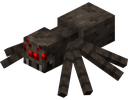
What does the Spider emoji mean?
The blocky, eight-legged terror from the mines is here to crawl into your DMs.
This emoji features the iconic spider mob from the Minecraft video game series. It is a staple for gaming-focused Discord servers, often used to signal danger, creepiness, or simply to reference the game's survival mechanics. Its blocky, pixelated aesthetic makes it instantly recognizable to any fan of the sandbox genre.
When to use it
- Signaling danger during intense gaming sessions
- Expressing fear of creepy crawly things
- Referencing Minecraft mobs in chat conversations
- Adding a spooky vibe to server channels
Part of these collections
Related emoji searches
More inspired emojis
Embed & share
How to add this emoji
Add to Discord
- Click Add to my server above and pick a Discord server you manage (CommunityOne must be installed).
- Or download the file: open Discord → Server Settings → Emoji → Upload Emoji.
- Give it a name and save. You need Manage Server (or Create Expressions) permission.
Add to Slack
- Download the Spider image.
- Open the Slack emoji picker and click Add Emoji.
- Upload the file, name it, and save.
Add to Revolt/Stoat
- Download the Spider image.
- Open Server Settings → Emojis in Revolt or Stoat.
- Upload the file and name your new emoji.
Add to Guilded
- Download the Spider image.
- Go to Server Settings → Emotes in Guilded.
- Upload the file and give it a name.











