stares
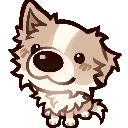
What does the stares emoji mean?
A fluffy little pup giving you the most intense, unblinking stare.
This adorable, wide-eyed puppy emoji captures a moment of pure, unwavering focus. It is perfect for Discord servers when you want to silently judge someone, express intense curiosity, or simply show that you are paying close attention to a conversation.
When to use it
- Staring intensely at a questionable message sent
- Waiting for a response in a chat
- Silently judging someone's bad take on something
- Showing deep curiosity about a new topic
Variations
Part of these collections
Related emoji searches
More inspired emojis
Embed & share
How to add this emoji
Add to Discord
- Click Add to my server above and pick a Discord server you manage (CommunityOne must be installed).
- Or download the file: open Discord → Server Settings → Emoji → Upload Emoji.
- Give it a name and save. You need Manage Server (or Create Expressions) permission.
Add to Slack
- Download the stares image.
- Open the Slack emoji picker and click Add Emoji.
- Upload the file, name it, and save.
Add to Revolt/Stoat
- Download the stares image.
- Open Server Settings → Emojis in Revolt or Stoat.
- Upload the file and name your new emoji.
Add to Guilded
- Download the stares image.
- Go to Server Settings → Emotes in Guilded.
- Upload the file and give it a name.











