Stichhello
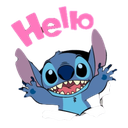
What does the Stichhello emoji mean?
Stitch bursts onto the scene with an enthusiastic and adorable hello!
This emoji features Stitch from the beloved Disney franchise Lilo & Stitch, capturing his chaotic yet endearing personality. It is a popular choice for Discord servers to greet new members, start conversations, or simply add a touch of Disney-inspired charm to daily chats.
When to use it
- Greeting new members joining the Discord server
- Saying hello to friends in group chats
- Starting a conversation with an energetic vibe
- Welcoming someone back to the chat room
Part of these collections
Related emoji searches
More inspired emojis
Embed & share
How to add this emoji
Add to Discord
- Click Add to my server above and pick a Discord server you manage (CommunityOne must be installed).
- Or download the file: open Discord → Server Settings → Emoji → Upload Emoji.
- Give it a name and save. You need Manage Server (or Create Expressions) permission.
Add to Slack
- Download the Stichhello image.
- Open the Slack emoji picker and click Add Emoji.
- Upload the file, name it, and save.
Add to Revolt/Stoat
- Download the Stichhello image.
- Open Server Settings → Emojis in Revolt or Stoat.
- Upload the file and name your new emoji.
Add to Guilded
- Download the Stichhello image.
- Go to Server Settings → Emotes in Guilded.
- Upload the file and give it a name.











