suggestingAI
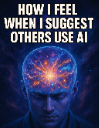
What does the suggestingAI emoji mean?
A cosmic brain moment for when you feel like an AI genius.
This emoji plays on the popular 'expanding brain' meme format, representing the feeling of intellectual superiority or enlightenment when recommending AI tools. It is perfect for Discord servers focused on technology, programming, or creative work where members share AI tips and workflows.
When to use it
- -sharing clever AI prompts with friends
- -feeling enlightened after discovering new tools
- -flexing your superior AI knowledge online
- -suggesting automation to simplify complex tasks
Part of these collections
Related emoji searches
More inspired emojis
Embed & share
How to add this emoji
Add to Discord
- Click Add to my server above and pick a Discord server you manage (CommunityOne must be installed).
- Or download the file: open Discord → Server Settings → Emoji → Upload Emoji.
- Give it a name and save. You need Manage Server (or Create Expressions) permission.
Add to Slack
- Download the suggestingAI image.
- Open the Slack emoji picker and click Add Emoji.
- Upload the file, name it, and save.
Add to Revolt/Stoat
- Download the suggestingAI image.
- Open Server Settings → Emojis in Revolt or Stoat.
- Upload the file and name your new emoji.
Add to Guilded
- Download the suggestingAI image.
- Go to Server Settings → Emotes in Guilded.
- Upload the file and give it a name.











