Warrior
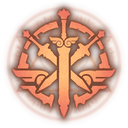
What does the Warrior emoji mean?
Channel your inner champion with this bold emblem of martial prowess.
This warrior icon features a stylized crossed-sword design, commonly associated with fantasy RPGs and competitive gaming communities. It is the perfect badge for Discord servers dedicated to MMOs, tabletop campaigns, or any group that values strength and combat-themed camaraderie.
When to use it
- Signaling readiness for a competitive gaming match
- Celebrating a victory in a fantasy RPG
- Marking a channel for combat-related game discussions
- Representing a guild or clan identity online
Part of these collections
Related emoji searches
More inspired emojis
Embed & share
How to add this emoji
Add to Discord
- Click Add to my server above and pick a Discord server you manage (CommunityOne must be installed).
- Or download the file: open Discord → Server Settings → Emoji → Upload Emoji.
- Give it a name and save. You need Manage Server (or Create Expressions) permission.
Add to Slack
- Download the Warrior image.
- Open the Slack emoji picker and click Add Emoji.
- Upload the file, name it, and save.
Add to Revolt/Stoat
- Download the Warrior image.
- Open Server Settings → Emojis in Revolt or Stoat.
- Upload the file and name your new emoji.
Add to Guilded
- Download the Warrior image.
- Go to Server Settings → Emotes in Guilded.
- Upload the file and give it a name.











