Warthog (Animated)
What does the Warthog emoji mean?
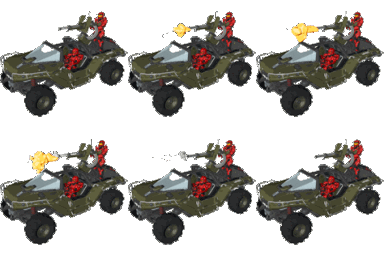
Lay down some suppressive fire with this classic Halo Warthog emoji.
This pixel art emoji features the iconic Warthog vehicle from the Halo franchise, complete with a mounted turret firing. It is a staple for gaming-focused Discord servers, perfect for signaling an incoming attack, hype moments, or just showing off some Spartan pride during intense multiplayer sessions.
When to use it
- Signaling an attack during intense gaming sessions
- Showing excitement for a new Halo update
- Representing a vehicle-based play in chat
- Adding hype to a team victory celebration
Part of these collections
Related emoji searches
More inspired emojis
Embed & share
How to add this emoji
Add to Discord
- Click Add to my server above and pick a Discord server you manage (CommunityOne must be installed).
- Or download the file: open Discord → Server Settings → Emoji → Upload Emoji.
- Give it a name and save. You need Manage Server (or Create Expressions) permission.
Add to Slack
- Download the Warthog image.
- Open the Slack emoji picker and click Add Emoji.
- Upload the file, name it, and save.
Add to Revolt/Stoat
- Download the Warthog image.
- Open Server Settings → Emojis in Revolt or Stoat.
- Upload the file and name your new emoji.
Add to Guilded
- Download the Warthog image.
- Go to Server Settings → Emotes in Guilded.
- Upload the file and give it a name.











