WWDC26_Stickers_glass_eyes
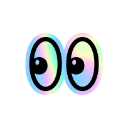
What does the WWDC26_Stickers_glass_eyes emoji mean?
A pair of shifty, iridescent eyes watching everything go down.
These glass-textured, shifting eyes are the perfect reaction for when you are lurking in a chat or witnessing some questionable drama unfold. With their holographic sheen, they add a touch of modern, tech-inspired flair to any Discord conversation.
When to use it
- Watching a heated argument unfold in chat
- Lurking silently in a busy voice channel
- Noticing something suspicious happening in the server
- Waiting for someone to finally drop news
Part of these collections
Related emoji searches
More inspired emojis
Embed & share
How to add this emoji
Add to Discord
- Click Add to my server above and pick a Discord server you manage (CommunityOne must be installed).
- Or download the file: open Discord → Server Settings → Emoji → Upload Emoji.
- Give it a name and save. You need Manage Server (or Create Expressions) permission.
Add to Slack
- Download the WWDC26_Stickers_glass_eyes image.
- Open the Slack emoji picker and click Add Emoji.
- Upload the file, name it, and save.
Add to Revolt/Stoat
- Download the WWDC26_Stickers_glass_eyes image.
- Open Server Settings → Emojis in Revolt or Stoat.
- Upload the file and name your new emoji.
Add to Guilded
- Download the WWDC26_Stickers_glass_eyes image.
- Go to Server Settings → Emotes in Guilded.
- Upload the file and give it a name.











