z_ArtistSpotlight
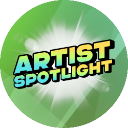
What does the z_ArtistSpotlight emoji mean?
Shine a light on the creative genius in your server with this vibrant badge.
The Artist Spotlight emoji is a high-energy graphic designed to celebrate community members who share their creative work. It is commonly used in Discord servers to announce featured art, highlight talented creators, or kick off community art showcases. The bright green aesthetic and starburst effect make it a perfect tool for recognizing artistic contributions with flair.
When to use it
- Highlighting a new piece of community art
- Announcing the weekly server artist spotlight winner
- Celebrating a member for their creative contributions
- Drawing attention to an important creative announcement
Part of these collections
Related emoji searches
More inspired emojis
Embed & share
How to add this emoji
Add to Discord
- Click Add to my server above and pick a Discord server you manage (CommunityOne must be installed).
- Or download the file: open Discord → Server Settings → Emoji → Upload Emoji.
- Give it a name and save. You need Manage Server (or Create Expressions) permission.
Add to Slack
- Download the z_ArtistSpotlight image.
- Open the Slack emoji picker and click Add Emoji.
- Upload the file, name it, and save.
Add to Revolt/Stoat
- Download the z_ArtistSpotlight image.
- Open Server Settings → Emojis in Revolt or Stoat.
- Upload the file and name your new emoji.
Add to Guilded
- Download the z_ArtistSpotlight image.
- Go to Server Settings → Emotes in Guilded.
- Upload the file and give it a name.











