zi_alivechat
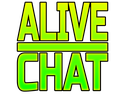
What does the zi_alivechat emoji mean?
A high-energy neon green alert for when the chat is finally popping off.
This emoji features a bold, neon-green text graphic that screams 'ALIVE CHAT' to signal that a previously quiet channel has suddenly become active. It is commonly used in Discord servers to notify members that a conversation is happening or to encourage others to join in on the discussion. The vibrant aesthetic makes it stand out against the dark background of standard chat interfaces.
When to use it
- Signaling that the server chat is active
- Encouraging members to join the ongoing conversation
- Celebrating a sudden spike in channel activity
- Notifying friends that a group chat lives
Also known as:
:CH_TextAliveChat:
Part of these collections
Related emoji searches
More inspired emojis
Embed & share
How to add this emoji
Add to Discord
- Click Add to my server above and pick a Discord server you manage (CommunityOne must be installed).
- Or download the file: open Discord → Server Settings → Emoji → Upload Emoji.
- Give it a name and save. You need Manage Server (or Create Expressions) permission.
Add to Slack
- Download the zi_alivechat image.
- Open the Slack emoji picker and click Add Emoji.
- Upload the file, name it, and save.
Add to Revolt/Stoat
- Download the zi_alivechat image.
- Open Server Settings → Emojis in Revolt or Stoat.
- Upload the file and name your new emoji.
Add to Guilded
- Download the zi_alivechat image.
- Go to Server Settings → Emotes in Guilded.
- Upload the file and give it a name.











