headphones
Skip the manual upload: CommunityOne can add it straight to your server.
¿Qué significa el emoji headphones?
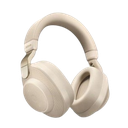
Tune out the world and vibe with these sleek white headphones.
This emoji features a pair of minimalist, over-ear white headphones, perfect for signaling that you are in the zone or listening to music. It is a staple for music-focused Discord servers, study groups, or anyone looking to express they are currently AFK or deep in a listening session. Use it to show you are tuning into a podcast, gaming, or just enjoying some lo-fi beats.
Cuándo usarlo
- Signaling that you are listening to music
- Indicating you are currently in a meeting
- Showing you are focusing on deep work
- Telling friends you are gaming right now
Also known as:
:009_headphones:
Parte de estas colecciones
Related emoji searches
More inspired emojis
Insertar y compartir
Cómo añadir este emoji
Añadir a Discord
- Haz clic en Añadir a mi servidor arriba y elige un servidor de Discord que administres (CommunityOne debe estar instalado).
- O descarga el archivo: abre Discord → Ajustes del servidor → Emoji → Subir emoji.
- Dale un nombre y guarda. Necesitas el permiso Administrar servidor (o Crear expresiones).
Añadir a Slack
- Descarga la imagen de headphones.
- Abre el selector de emojis de Slack y haz clic en Añadir emoji.
- Sube el archivo, ponle un nombre y guarda.
Añadir a Revolt/Stoat
- Descarga la imagen de headphones.
- Abre Ajustes del servidor → Emojis en Revolt o Stoat.
- Sube el archivo y pon nombre a tu nuevo emoji.
Añadir a Guilded
- Descarga la imagen de headphones.
- Ve a Ajustes del servidor → Emotes en Guilded.
- Sube el archivo y dale un nombre.











