cv
¿Qué significa el emoji cv?
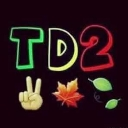
A vibrant, laid-back vibe featuring the letters TD2 accompanied by a peace sign and autumn leaves.
This custom emoji combines bold, colorful typography with seasonal nature elements to create a relaxed, positive atmosphere. It is frequently used in Discord servers to signal a chill mood, celebrate the autumn season, or represent a specific community group or project abbreviated as TD2. The mix of the peace sign and leaves makes it perfect for casual, friendly interactions.
Cuándo usarlo
- Signaling a relaxed and chill conversation vibe
- Celebrating the arrival of the autumn season
- Representing a specific group or project name
- Sending positive and friendly peace sign vibes
Parte de estas colecciones
Related emoji searches
More inspired emojis
Insertar y compartir
Cómo añadir este emoji
Añadir a Discord
- Haz clic en Añadir a mi servidor arriba y elige un servidor de Discord que administres (CommunityOne debe estar instalado).
- O descarga el archivo: abre Discord → Ajustes del servidor → Emoji → Subir emoji.
- Dale un nombre y guarda. Necesitas el permiso Administrar servidor (o Crear expresiones).
Añadir a Slack
- Descarga la imagen de cv.
- Abre el selector de emojis de Slack y haz clic en Añadir emoji.
- Sube el archivo, ponle un nombre y guarda.
Añadir a Revolt/Stoat
- Descarga la imagen de cv.
- Abre Ajustes del servidor → Emojis en Revolt o Stoat.
- Sube el archivo y pon nombre a tu nuevo emoji.
Añadir a Guilded
- Descarga la imagen de cv.
- Ve a Ajustes del servidor → Emotes en Guilded.
- Sube el archivo y dale un nombre.











