emoji_31
¿Qué significa el emoji emoji_31?
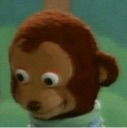
The ultimate side-eye for when you are trying to act like you did not just see that.
This is the iconic 'Awkward Look Monkey' puppet from the Japanese children's show 'Ōkiku naru Ko'. It has become a legendary internet meme used to express discomfort, guilt, or the desire to avoid a conversation after something embarrassing or suspicious happens. In Discord, it is the go-to reaction for when someone says something questionable or when you are caught in an awkward situation.
Cuándo usarlo
- -Reacting to someone saying something very questionable
- -Avoiding eye contact after making a mistake
- -Showing discomfort when a conversation gets weird
- -Pretending you did not hear a weird comment
Parte de estas colecciones
Related emoji searches
More inspired emojis
Insertar y compartir
Cómo añadir este emoji
Añadir a Discord
- Haz clic en Añadir a mi servidor arriba y elige un servidor de Discord que administres (CommunityOne debe estar instalado).
- O descarga el archivo: abre Discord → Ajustes del servidor → Emoji → Subir emoji.
- Dale un nombre y guarda. Necesitas el permiso Administrar servidor (o Crear expresiones).
Añadir a Slack
- Descarga la imagen de emoji_31.
- Abre el selector de emojis de Slack y haz clic en Añadir emoji.
- Sube el archivo, ponle un nombre y guarda.
Añadir a Revolt/Stoat
- Descarga la imagen de emoji_31.
- Abre Ajustes del servidor → Emojis en Revolt o Stoat.
- Sube el archivo y pon nombre a tu nuevo emoji.
Añadir a Guilded
- Descarga la imagen de emoji_31.
- Ve a Ajustes del servidor → Emotes en Guilded.
- Sube el archivo y dale un nombre.











