cat
¿Qué significa el emoji cat?
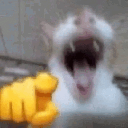
A blurry, chaotic cat aggressively pointing at you to demand your attention.
This emoji features a low-quality, motion-blurred cat with its mouth wide open, paired with a yellow cartoon hand pointing directly forward. It is a staple of chaotic internet humor, often used in Discord servers to call someone out, demand a response, or emphasize a direct accusation in a humorous, unhinged way.
Cuándo usarlo
- Calling out someone for a bad take
- Demanding an immediate response from a friend
- Accusing someone of being the imposter
- Highlighting a specific person in the chat
Also known as:
:1_catlaugh: :Sukoon_dog_hahaha: :cathaivai: :emoji_56427: :68781simp1: :simp1: :emoji_32: :emoji_42:
Parte de estas colecciones
Related emoji searches
More inspired emojis
Insertar y compartir
Cómo añadir este emoji
Añadir a Discord
- Haz clic en Añadir a mi servidor arriba y elige un servidor de Discord que administres (CommunityOne debe estar instalado).
- O descarga el archivo: abre Discord → Ajustes del servidor → Emoji → Subir emoji.
- Dale un nombre y guarda. Necesitas el permiso Administrar servidor (o Crear expresiones).
Añadir a Slack
- Descarga la imagen de cat.
- Abre el selector de emojis de Slack y haz clic en Añadir emoji.
- Sube el archivo, ponle un nombre y guarda.
Añadir a Revolt/Stoat
- Descarga la imagen de cat.
- Abre Ajustes del servidor → Emojis en Revolt o Stoat.
- Sube el archivo y pon nombre a tu nuevo emoji.
Añadir a Guilded
- Descarga la imagen de cat.
- Ve a Ajustes del servidor → Emotes en Guilded.
- Sube el archivo y dale un nombre.











