DistractionDance (Animado)
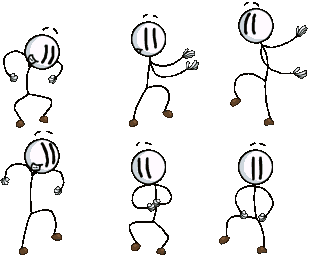
¿Qué significa el emoji DistractionDance?
Henry Stickmin busts out his best moves to celebrate any win.
This emoji features Henry Stickmin, the iconic protagonist of the popular Henry Stickmin game series, performing his signature dance. It is a staple in gaming communities and Discord servers for expressing pure hype, excitement, or a celebratory mood after a successful raid or funny moment.
Cuándo usarlo
- Celebrating a major victory in a game
- Expressing pure joy after good news arrives
- Hyping up friends during a group chat
- Dancing along to music in the server
Parte de estas colecciones
Related emoji searches
More inspired emojis
Insertar y compartir
Cómo añadir este emoji
Añadir a Discord
- Haz clic en Añadir a mi servidor arriba y elige un servidor de Discord que administres (CommunityOne debe estar instalado).
- O descarga el archivo: abre Discord → Ajustes del servidor → Emoji → Subir emoji.
- Dale un nombre y guarda. Necesitas el permiso Administrar servidor (o Crear expresiones).
Añadir a Slack
- Descarga la imagen de DistractionDance.
- Abre el selector de emojis de Slack y haz clic en Añadir emoji.
- Sube el archivo, ponle un nombre y guarda.
Añadir a Revolt/Stoat
- Descarga la imagen de DistractionDance.
- Abre Ajustes del servidor → Emojis en Revolt o Stoat.
- Sube el archivo y pon nombre a tu nuevo emoji.
Añadir a Guilded
- Descarga la imagen de DistractionDance.
- Ve a Ajustes del servidor → Emotes en Guilded.
- Sube el archivo y dale un nombre.











