speakschinese (Animado)
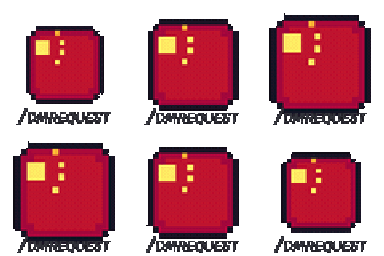
¿Qué significa el emoji speakschinese?
A pixelated red square featuring the Turkish flag symbol, perfect for signaling Turkish language or culture in chat.
This custom Discord emoji features a stylized pixel-art red square with the iconic white crescent and star of the Turkish flag. It is commonly used in gaming communities and international servers to identify Turkish speakers or to react to Turkey-related topics. The '/dayrequest' text at the bottom adds a unique, slightly meta flair to the design.
Cuándo usarlo
- Identifying yourself as a Turkish language speaker
- Reacting to news or events from Turkey
- Requesting a translation into the Turkish language
- Showing national pride in international Discord servers
Parte de estas colecciones
Related emoji searches
More inspired emojis
Insertar y compartir
Cómo añadir este emoji
Añadir a Discord
- Haz clic en Añadir a mi servidor arriba y elige un servidor de Discord que administres (CommunityOne debe estar instalado).
- O descarga el archivo: abre Discord → Ajustes del servidor → Emoji → Subir emoji.
- Dale un nombre y guarda. Necesitas el permiso Administrar servidor (o Crear expresiones).
Añadir a Slack
- Descarga la imagen de speakschinese.
- Abre el selector de emojis de Slack y haz clic en Añadir emoji.
- Sube el archivo, ponle un nombre y guarda.
Añadir a Revolt/Stoat
- Descarga la imagen de speakschinese.
- Abre Ajustes del servidor → Emojis en Revolt o Stoat.
- Sube el archivo y pon nombre a tu nuevo emoji.
Añadir a Guilded
- Descarga la imagen de speakschinese.
- Ve a Ajustes del servidor → Emotes en Guilded.
- Sube el archivo y dale un nombre.











