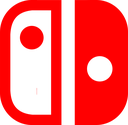
switch
Skip the manual upload: CommunityOne can add it straight to your server.
¿Qué significa el emoji switch?
Level up your gaming chat with the iconic Nintendo Switch controller symbol.
This emoji features the instantly recognizable Joy-Con controller silhouette from the Nintendo Switch console. It is a staple for gaming-focused Discord servers, used to signal that someone is hopping online to play, discussing new releases, or coordinating multiplayer sessions.
Cuándo usarlo
- Signaling that you are starting a gaming session
- Discussing new Nintendo Switch game releases with friends
- Coordinating multiplayer matches for popular Switch titles
- Showing off your love for Nintendo gaming culture
Parte de estas colecciones
Related emoji searches
More inspired emojis
Insertar y compartir
Cómo añadir este emoji
Añadir a Discord
- Haz clic en Añadir a mi servidor arriba y elige un servidor de Discord que administres (CommunityOne debe estar instalado).
- O descarga el archivo: abre Discord → Ajustes del servidor → Emoji → Subir emoji.
- Dale un nombre y guarda. Necesitas el permiso Administrar servidor (o Crear expresiones).
Añadir a Slack
- Descarga la imagen de switch.
- Abre el selector de emojis de Slack y haz clic en Añadir emoji.
- Sube el archivo, ponle un nombre y guarda.
Añadir a Revolt/Stoat
- Descarga la imagen de switch.
- Abre Ajustes del servidor → Emojis en Revolt o Stoat.
- Sube el archivo y pon nombre a tu nuevo emoji.
Añadir a Guilded
- Descarga la imagen de switch.
- Ve a Ajustes del servidor → Emotes en Guilded.
- Sube el archivo y dale un nombre.











