YO!O India
YO!O India server banner

YO!O India Updates & Events

Server Updates & Events

Upcoming Events

Announcements

YO!O India Adds Entry Soundboard for Boosters

🔊 NEW SERVER BOOSTER PERK — ENTRY SOUNDBOARD

Another perk for everyone supporting YO!O India with a Server Boost!

Boosters can now use custom Entry Sounds when joining VCs!

A few simple rules:
- Keep it short, reasonable & non-offensive.
- No leaving/rejoining VCs just to spam your sound.
- Read the room — don't disrupt competitive games or serious comms.
- Repeated genuine complaints or misuse may result in the perk being removed.

Basically, have fun with it without making it annoying for everyone else!

And we're not stopping here — more Booster perks will keep coming as we grow!

YO!O India Wardogs PMC SOP Trial Run

@Wardogs PMC | SOP TRIAL RUN

Date: Tomorrow, 4th October
Time: 11:30 AM IST

Tomorrow, we'll be conducting our first SOP trial run, focusing on Hot Zone chasing and testing our new team structure.

What we'll be testing:
- Communication between the Commander, team leaders and squads.
- Coordinated Hot Zone chasing and capturing.
- Coordination between Assault, Recon, Builders, Air Units and Logistics.
- Identifying problems and optimizing how our teams work together.

This is a trial run, so expect some confusion and mistakes. The objective is to identify what works, improve our communication and develop better coordination.

Everyone participating is expected to follow their assigned roles, communicate clearly and cooperate with their team leaders.

Less chaos, better coordination and more wins.

See you all at 11:30 AM IST!

🤖 YO!O AI BOT — NOW LIVE!

Got a question? Head over to #ask-the-bot and ask away!

The YO!O AI Bot still works in #general-chat, but in #ask-the-bot it will respond instantly without needing to be mentioned.

Ask about games, server help, tech, random questions — whatever you need.

Try it out in #ask-the-bot!

YO!O India Server Tag Now Live

                                                                                            YO!O INDIA SERVER TAG IS NOW LIVE! <img src="https://cdn.discordapp.com/emojis/394751311058305034.webp?size=24&quality=lossless" alt=":YOLO:" class="discord-emoji" loading="lazy" />

We now have our official YO!O India Server Tag on Discord! ⚡

You can adopt the YO!O tag and represent !

Rep the clan. Rep YO!O India. 🇮🇳 :YOLO: GG!

Tap to view image

🎮 NEW: PICK YOUR GAME ROLES!

Hey everyone! 👋

We’ve added a new #pick-a-role section to the server!

You can now select the games you play and get the corresponding game roles. This will make it easier to find other players, squad up, and connect with people who play the same games as you.

👉 Head over to the #pick-a-role section and grab your game roles!

You can select multiple games, so pick everything you play.

YO!O India 🇮🇳
Pick your games. Find your squad. Let’s play! 🎮

YO!O India New External Apps for Servers

:shapes: More Apps in More Places :shapes:

Hey Admins and Mods! Starting June 18, you might notice members of your server bringing new fun, games, and functionality to your space with apps.

We launched a new feature that allows anyone to add apps to their own account, and use them across all of their servers, DMs, and GDMs.

Check out our Help Center article to learn about how you can effectively moderate apps in your server, including:

  • What these apps can (and can’t) do
  • How to set up our new “Use External Apps” permission, available now
  • How we leveled up AutoMod to keep your server safe

Wanna spend some time tinkering? Follow our guide to building your own app!

Stay awesome,
The Discord Team

Guild Tags Update for YO!O India Admins

👀 What's that tag?

Hey Admins and Mods! Starting May 15, it's possible you might notice something new next to some of your members' usernames: ✨ Guild Tags ✨

See a cute little tag next to a member's username or profile? That's a Guild Tag, which indicates someone's membership to a chosen Guild. You can click on this tag to see the Guild profile, and even apply for membership there as well. What this means for you, beloved Admins and Mods, is that if your server's AutoMod is on, it will also check for Guild Tags ☑️

What's a Guild? It's a small, exclusive server that members can apply to join. These servers are tight-knit communities where members can relish in shared identities, hobbies, play styles, and more!

Please note that Guilds are only available to a small number of servers at this time, so not every server has access to this experiment. Additionally, our support team cannot manually add servers to this experiment.

Much love,
The Discord Team

Safety Upgrades: Activity Alerts & Members Page

Discord Communities are Getting a Safety Buff 🦺

Today, we're rolling out three new features that will help you keep your communities safe from DM spam and raids: Activity Alerts, Security Actions, and a revamped Members page.

Activity Alerts and Security Actions

Activity Alerts will notify you of abnormal server behavior, particularly massive raids or unusual DM activity. From there, your team can investigate further and take further action to protect your community as necessary. If it doesn’t seem like an issue, you can easily mark it as safe.

Security Actions allow swift server lockdowns by surfacing useful tools quicker, helping halt new member joins or aiding in closing off DMs between non-friend community members. Current Security Actions include:
- Pause Invites: Stop new members from using any invites to join the server. Experienced moderators may know this one already, and now it’s more easily accessible.
- Pause DMs: Temporarily stops new DMs from being sent between members in the server. This excludes friends DMing each other, when moderators DM server members, or DMs from Apps.

Members Page

Previously tucked away in Server Settings, the Members page is used to find specific members, display members with a specific role, and even help you prune inactive members.

Now, the Members page is in a more easily-accessible spot above your server’s channel list. And it’s been reimagined, letting you view your members in a more organized manner. It now displays relevant safety information about your members:
- Join Date: See when they joined your server.
- Invite Link: See which invite link they used to join your server.
- Account Age: See if they’ve been on Discord for a while or are a new user.
- Signals: Appears if someone may have been engaging in unusual DM Activity, or flags a member you’ve timed out. Use this to easily filter and find members who might require additional action or review. Over time, we plan on surfacing additional relevant Signals.

All of these new features work in tandem to provide mods with the helpful information and actions needed to help squash DM spam and thwart raids. We’re committed to improving safety on Discord by empowering and equipping mods with more tools to help protect your servers from harmful disruptions. It’s a never-ending journey, so stay tuned—the best is yet to come!

For the details on how to use these new tools, check out the following articles in our help center:

Members page Help Center Article

Activity Alerts + Security Actions Help Center Article

Server Guide & Moderation Updates for YO!O India

Server Guide is coming to all communities

Server Guide is a dedicated space within your community that points members to essential parts of your space and encourages them to participate. Many admins who have already set theirs up are seeing big bumps in member engagement. :nitroup:

Here are some of the features in the Server Guide that might boost your member activity.
➡️ Welcome Sign: A custom message from you to new members, placed at the top.

:star: New Member To Do's 3-5 next steps for new members that get them talking and participating in your community.

:star: Resources: Declutter your server by turning read-only channels into fancy, easy-to-digest pages with images you upload (so make sure to upload an image) Another perk: Members land at the top of these Resource pages instead of the bottom of a message thread, and message bars and avatars are removed so it looks cleaner. Otherwise, your content, embeds, media, and formatting stay the same.

That’s not all. 2 more updates to make moderation better!

🤖 Automod for Profiles
Sometimes bad actors set their display names in a way that breaks the rules. Automod will allow you to block specific language in a member's profile, preventing them from interacting with others in your community until they update their profile.

🚫 Remove Reactions by Emoji
Instead of removing all reactions from a post or individually deleting them, you can select the emojis you want to remove.

Tap to view image

Admin Resources: Newsletter & Community Portal

Hey Admins and Mods,

You all make this Discord world go round, and we’re always looking for ways to continue to show our appreciation and give you the support you deserve.

To help you and your community thrive, we recently invested in a Wump-ton of new and updated resources. You now have more ways than ever to connect with other admins, learn best practices directly from Discord, and stay on top of essential news.

Introducing the Admin Newsletter! 📰

Brush up on your skills with the revamped Community Portal 📔

  • Dive into articles for beginners and pros alike, spotlights on stellar servers, and courses to guide you to new heights. https://discord.com/community!

Eager to meet admins just like you? ✏️

Get exploring, and hopefully, we’ll see you in one of these new and improved spaces!

YO!O India: Server Types Badges Update

Hey Mods and Admins,

We're here with an update to make it more clear how we categorize the different types of servers, how to recognize them, and what you can expect in those spaces.

💠 Friend Server
Friend Servers are invite-only spaces designed to discuss, connect, and share with your friends or smaller groups. Invite links in Friend servers will expire at a maximum of 30 days, though previously created non-expiring links will remain active and functional.

Friend Servers who wish to have access to Community features https://support.discord.com/hc/en-us/articles/360047132851-Enabling-Your-Community-Server may opt-in to become a Community Server at any time in server settings.

💠Community Server
Community Servers are spaces designed for people to share, connect, and learn from others all over the world who share common interests. Moderators in Community Servers have access to tools like Server Insights, Raid Protection, Rules, and Onboarding.

Becoming a Community Server does not mean that anyone can find or join your server. Prospective members have to be sent an invite link.

💠Updating Server Badging
In order for users to know what type of server they’re in, we’ve introduced badges for Community Servers.

We will display a distinct server badge if the server is a
* Community Server
* Discoverable Community
* Partnered Server
* Verified Server

Hovering over the badge will provide more detailed information about the server type, whether anyone can join the server, and the Boost level. Communities that previously had the “Public” tag will now have a “Discoverable Community” badge (denoted by a globe).

For more information on our approach to safety across server types, please visit our Safety Center. https://discord.com/safety/360043709612-our-policies

2 images in update

Discord Username Update Discriminators Removed

Hey Admins and Mods,

Since 2015, every Discord username has been cAsE sEnSitIvE and had a number attached to it called a discriminator (e.g., #0001). This lets you have the same username as someone else as long as you have different discriminators or different case letters. However, this also means you have to remember a set of 4-digit numbers and account for case sensitivity to connect with your friends.

✨We wanted to make it easier for you to identify and add your friends while preserving your ability to use your preferred name across Discord. So, we are removing discriminators and introducing new, unique usernames and display names. ✨

💠 New usernames are lowercase, alphanumeric, limited to certain special characters, and do not have discriminators, making them easier to remember, read, type, and share. Now, rather than having to remember “PhiBi#8936,” you just say “I'm phibiscool” and that’s it. Your new username will be unique to you, and when friends try to add you there won’t be any mistakes of the wrong discriminator or incorrect letter casing.

💠 Display names are what’s shown both to your friends and in communities. Think of them as server nicknames that work globally across Discord. You can change it whenever you want, and it can be whatever you want, including special characters, as long as it follows our Community Guidelines https://discord.com/guidelines. If a username you were eyeing gets taken before you can claim it, no worries — you can still use it as a display name.

📩 When you’re eligible to change your old username and claim a new username, you’ll be notified in-app. The older your Discord account, the sooner you will become eligible to pick a new username. 📩

Visit our blog https://discord.com/blog/usernames to hear from one of our founders about why usernames are changing. To learn more about usernames and display names, check out our Help Center Article https://dis.gd/usernames for all the details.

Soundboard Rolls Out — YO!O India Update

Hey Admins and Mods,

Beginning on March 31, over the next several weeks we will start to roll out a new feature called Soundboard. This feature will let users upload custom short sounds to their servers, and then use those sounds to communicate in Voice Channels.

Click here to learn more about soundboard: https://support.discord.com/hc/en-us/articles/12612888127767-Soundboard-FAQ#h_01GTYZSTZQV1GXSRVX1A420WPX

To help you keep your server safe, we have already released some new permissions around Soundboard. You can now access and configure these permissions directly from Server Settings:
- Use Soundboard: Determines who in your server is able to use soundboard.
- Manage Expressions: Determines who in your server is able to upload and manage sounds.

Visit the help center article linked above to read more about Soundboard permissions!

Peace and Love,
Discord Team

Discord Creator Tools Live: Server Updates

Hey Admins and Mods!

Reach for the stars with new revenue tools for creators and communities on Discord.

Server Subscriptions available in the US!
Customize tiers, offer exclusive paid content, and meet future subscribers with Promo Pages—all while providing as much of a free experience to your community as you want. (https://dis.gd/CUServerSubs)
Server Subscriptions are only available in the US. Join our waitlist to be notified if they're available in your area. (https://dis.gd/ServerSubsWaitlist)

Private Threads are now available to all!
Your community no longer needs to have Server Boosting to Level 2 to use Private Threads.

Improvements to Server Insights!
Dates should be more accurate.
Conversations in Forum Channels will contribute to Engagement metrics, and now you can see joins via Student Hubs, Integrations, and Bots.
The requirement to be a Communicator has been increased from 1 to 3 messages sent per week. This only applies to the Engagement tab and doesn’t impact Partner requirements.

Forum Channels now with Gallery View!
Gallery View gives posts in image-heavy Forum Channels like #fanart and #pet-pics room to shine - easily toggle between List View and Gallery View at any time.
With this update, Forum Channels are now officially available on all Community servers!

AutoMod keeps getting better!
Alongside more Custom Rules, we’ve added Allowlists to your custom rules! Messages containing anything you’ve added to your Allowlist will not be flagged by AutoMod.
We’ve also added the ability to filter messages using RegEX in your custom rules. (https://dis.gd/RegEXHC)

Enjoy your new tools, everyone!

Announcing Server Subscriptions and the Creator Portal, Now Open to...


Creators and community leaders can now learn and earn with Discord: Today, we’re expanding the availability of Server Subscriptions, allowing existing creators to now earn directly on Discord. Learn how to use these new features with our Creator Portal, a one-stop-shop for education and inspiration.

Discord Creator Tools Live: Server Updates

Forum Channels Rollout for YO!O India

Hey Admins and Mods,

Y’all ready for some of that ~ juicy ~ product news?

After a bunch of testing, we’re excited to begin rolling out Forum Channels across Community servers!

Forum Channels are a new type of channel that provide a dedicated, organized space for conversations. Since conversations are contained in individual posts, your members can browse topics before jumping in—without worrying about breaking up or getting in the way of other on-going conversations.

If you’ve been waiting for this news in anticipation and are ready to dive right in, go right ahead and click that Create Channel button. You should see that forum channels are now an option for you. If it’s not, you may be part of a small group of users who will have to wait just a little longer. ()

Want to do a bit more deep thonking and research around how to best use Forum Channels before diving in? The following article on our Community Resources site will guide you on your journey to reaching forum Valhalla: https://discord.com/community/creating-value-with-conversation

https://www.youtube.com/watch?v=y4MxuHNIIg0

Organize your Server with Forums


Presenting a brand new feature with old school energy: Forum Channels.
Give your community a place to get ~Into It~ about topics without talking over anybody else.
More info: https://www.dis.gd/forum-channels

↓ look at us goooooooooooooooooooooooo ↓
Twitter: https://twitter.com/discord
Instagram: https://www.instagram.com/discord
Facebook: htt...

Forum Channels Rollout for YO!O India

AutoMod Spam Filters and Raid Prevention

Hey Admins and Mods!

In our mission to help you keep your communities safe and lift some of that moderation work off your shoulders, we’ve set our sights on helping you more easily detect and prevent spam and raids. Today's spotlight introduces new features that help keep your communities cleaner from spam, and a preview into our early plans on building tools to deal with raids.

:automod: Keep your Community clean from spam with new AutoMod spam filters
We know dealing with spammy messages sucks. If only there was a way spammy messages could be blocked from being posted in your channels and threads in the first place…

Thankfully, every community’s best friend in moderation - AutoMod - just got buffed with some new spam-cleansing abilities. Enable AutoMod in Server Settings > AutoMod to save hours of moderation work with these new filters:
:dot:Block Mention Spam - Detect and block mention spam and mention raids before they happen to keep chat clean and prevent members in your community from receiving annoying mention notifications and ghost pings. Set your own limit on the number of mentions a message may contain (up to 50).
:dot: Block Spam Content - Detect and block messages containing text content that has been widely flagged as spam by user reports. Great for blocking unwanted spam like those pesky free Nitro scams, unsolicited advertisements, and invite spam that disrupt your Community's friendly conversations and game nights.
Check out our updated AutoMod FAQ help article: https://support.discord.com/hc/en-us/articles/4421269296535-AutoMod-FAQ

Our early plans and progress to protect communities from raids
We know being raided is one of the worst experiences you and your Community can go through which is why we’re giving you a heads up that we’re exploring ways to better detect and prevent raids before they take place, while making it easier to de-escalate a raid when they do happen.

While we’re in the earlier stages of progress here at Discord Labs™, rest assured we’re eager to equip you with effective tools to more easily deal with raids as quickly as we can. So what can you do now?
:dot: Report Raids: You can now directly send us feedback reports when a raid is taking place in your server by going to your Server Dropdown and selecting Report Raid. If your Community is being raided, we encourage you to partner with us in our moderation efforts by reporting the situation as we’ll be regularly reviewing your raid reports to develop tooling that combat raids.
:dot: Pause invitations to your Community at anytime - You can now pause your invite links for when you want to temporarily prevent people from joining your server without having to revoking your invite links or vanity URLs - just head over to Server Settings > Invites.
Because this cuts off the flow of new arrivals, you'll have an easier time halting a raid in progress. It also lets well-intentioned community members trying to join know that the stoppage is temporary, and that soon, they’ll be able to come back to the same link and try again.
Learn more about pausing invites: https://support.discord.com/hc/en-us/articles/8458903738647

**How we’re protecting communities from suspicious links: **
To help y’all with the legwork in dealing with messages containing malicious links, we’ve buffed every Community server with a proactive suspicious link filter designed to detect and block messages containing links that are verified to be harmful, such as those leading to malware or phishing sites that try to steal people’s personal or financial information. We’ll be continuously working on identifying links that might mislead or redirect users by reviewing a regularly updated list of unsafe and phishing websites: https://support.discord.com/hc/en-us/articles/7326747355159-Why-was-my-message-not-delivered-

YO!O India Admin Update: Community Events & Tools

Hey Admins and Moderators,

We've got an update on all things Community today!

If you haven't joined our Discord Admin Community… what are you waiting for? Head over to Server Setting > Community overview and join us — we've got a slew of exciting and fun stuff planned that you won’t want to miss out on.

🪴 Below is a sneak peek at the Stage events we’ve got cookin’!

August 16th: Safety on Discord
August 25th: Utilizing Automod in your Community

To join our Discord Admin Community, your server will need to hit a few engagement requirements. Once your community reaches the requirements listed https://dis.gd/DAC-FAQ, any of your Admins or Moderators with the “Manage Server” permission will be able to join the Discord Admin Community via Server Settings > Community.

📚 Community Resources
We recently released our Community Resources, a one-stop shop for learning how to build, engage, grow, and manage a space where anyone can belong. New articles, showcases, and more will be added in the future, so be sure to bookmark it for later. https://dis.gd/Community_Resources

If you haven't already taken a peek at some of our content, you can check out the latest video! https://dis.gd/H2M_Your_Discord_Community

🤖 Apps & Bots
If your server uses a verified app, the way you send commands has probably changed in the last year - if it hasn’t, it may very soon! Developers of verified apps have been migrating to Slash Commands. The deadline to finish migrating is the end of August, which means on Sept 1, any apps that haven’t finished may have reduced functionality.

If you haven’t tried out slash commands yet, type / in your server to see all the commands you have access to. If your favorite app isn’t listed, they may not yet have enabled slash commands. Or, you might need to check out the new permissions system in Server Settings > Integrations.

If you run across any issues, you can reach out to individual app developers to find out more. Learn more here: https://discord.com/blog/welcome-to-the-new-era-of-discord-apps

How to Manage Your Discord Community


Running a Discord community? Mosey on over to https://dis.gd/community-resources for more educational & informative Discord content on illuminative subjects ...

YO!O India Admin Update: Community Events & Tools

YO!O India AutoMod: Easier Moderation

Hello Admins & Mods!

It’s official. 2022 is the year of communities. That’s why we’ve been investing in ways to make it easier to start, grow, and protect your communities on Discord.

Today, we’re unveiling new tools and resources fresh from our labs so let’s dive in.

It’s Easy To Keep Your Community And Conversations Clean With AutoMod

Meet AutoMod, your new best friend in moderation. Designed to reduce work and stress for moderators, AutoMod comes equipped with keyword filters to help keep your server clean and safe around the clock by automatically filtering out harmful or undesirable messages before they’re posted. Enjoy newfound peace of mind, even when you’re offline.

Enable AutoMod in Server Settings > AutoMod. Once the wheels are turning…

:dot: Choose from readily available keyword filters or customize your own with lists of words or phrases and the actions AutoMod will take when they’re found in your server.
:dot: AutoMod’s keyword filters can automatically detect, block, and alert you of messages containing harmful words or phrases—before they’re ever posted.
:dot: Receive alerts from AutoMod when members try to use words from your lists and assign actions like Timeout from the alert itself.
:dot: Add Wildcards to your keywords to detect variations of words that partially match those on your lists.
bake* ⇒ Today, we baked some coffee cake
*milk ⇒ I add soymilk to my coffee
*press* ⇒ A Gibraltar is equal parts espresso and milk
:dot: It just works™️ on any message sent (i.e., in #text-channels, Threads, Text chat in Voice channels). Check out our Help Center article for all your burning questions. https://dis.gd/cu-automod-hc

Your friendly AutoMod is raring to go on Windows, macOS, Linux, iOS, Android, and the web app. Don’t delay—employ your AutoMod today! https://dis.gd/cu-automod-blog

New Tools To Build Thriving Communities On Discord

At Discord, we believe anyone can build a thriving community. We’re excited to share new products and support to help you do so—coming sooner than you think.

:dot: Explore a new preview of Premium Memberships, bringing customizability to communities and creators platform-wide! https://dis.gd/cu-community-update
:dot: Meet Community Resources, your one-stop shop for learning how to build your server into a community! Learn to build, engage, grow, and manage a space where anyone can belong. https://dis.gd/cu-community
:dot: Chat with your peers in our brand new Discord Admin Community, a space where admins, creators, and community managers can connect. https://dis.gd/cu-meet-admins

Incredible communities on Discord are built by incredible admins and moderators like you. We can’t wait to do more together.

Meet Your Newest Community Moderator: AutoMod Is Here


Community moderation should be a hobby you celebrate, and we want to help you out. We'll be taking some of that moderation work off your hands and tackling it ourselves: Say hello to AutoMod!

YO!O India AutoMod: Easier Moderation

Text Chat in Voice Channels Enabled June 29

Text Chat in Voice Channels will be enabled automatically for all servers on Wednesday, June 29th and we’ve made it easier for you to moderate the surface with Discord’s AutoMod! Here’s how to make the best of this brand-new feature.

:dot: Customize your server’s Channel and Role permissions and opt-in to Text Chat in Voice Channels ahead of time.
:dot: Many of your favorite moderation bots support monitoring Text Chat in Voice Channels and Discord’s new AutoMod can automatically detect and flag undesirable messages and rule-breakers before they are posted; helping you keep conversations clean and giving you time to focus on the fun parts of managing your community: (AutoMod Help Center article here: https://support.discord.com/hc/en-us/articles/4421269296535-AutoMod-FAQ).
:dot: Debut your new Text Chat In Voice Channels in your next D&D session or movie night.
:dot: Sit back and enjoy a less chaotic #channel with zero context, now that members can send messages within voice channels.

For more details on Text Chat in Voice Channels read our Help Center article here: https://support.discord.com/hc/en-us/articles/4412085582359

We can’t wait to see how you make the most of Text Chat In Voice Channels.

Text Channels & Text Chat In Voice Channels

In Discord, there are three ways to communicate with your friends: voice, video, and text. For this article, you'll learn more about where to engage with others through text.
What this article cove...

Text Chat in Voice Channels Rolling Out

Hey Admins & Mods,

Beginning Wednesday, 6/1 we’re rolling out Text Chat in Voice Channels to Discord. With embedded chat in voice channels, your community can send messages, GIFs, links, memes, etc. to everyone in the voice channel—no more clogging #channel.

We are rolling out Text Chat in Voice Channels slowly to all servers throughout the week. Initially, it will not be enabled by default for servers that have greater than 200 members or are set as a Community Server.

But once you have access…
:dot: You’ll have a new Server Settings tab on the web or your client called Text in Voice.
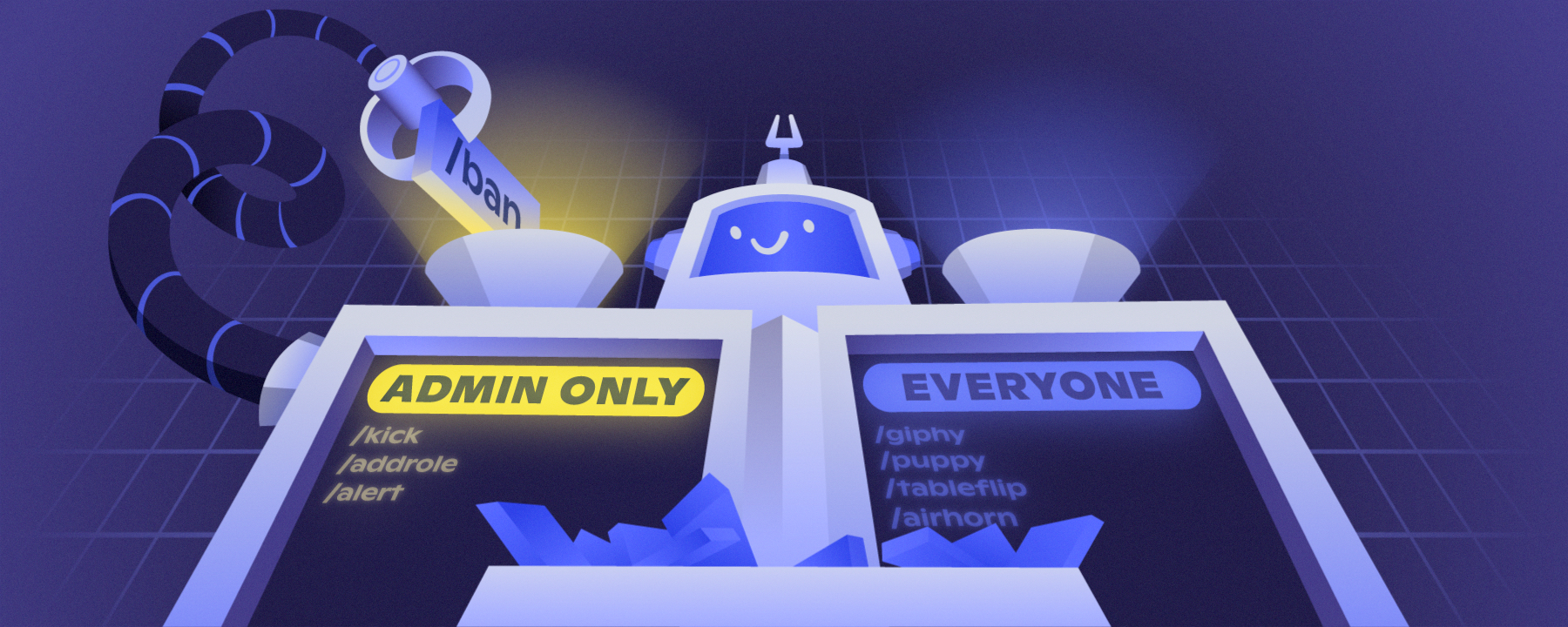
:dot: Turn Text Chat in Voice Channels on for your community by selecting Enable.
:dot: Customize permissions for your community, like enabling in specific voice channels or disabling for certain roles. Most developers of your favorite moderation bots have already updated their instances to monitor Text Chat in Voice Channels!

For more details on Text Chat in Voice Channels, read our Help Center article here: https://support.discord.com/hc/en-us/articles/4412085582359

In four weeks, Text Chat in Voice Channels will be automatically enabled for all servers while still respecting your prescribed permissions—but we recommend you enable it early for all your server members to enjoy!

Tap to view image

Slash Command Permissions Now Live

Hello Admin & Mods!

Today, we have a new update for slash commands in your servers: Permissions! If you don’t know, slash commands are a new, easier way to use bots on Discord. You might already have some to use—type / to find out!

With this new system, you can:
Control who can use slash commands in your servers
Control in which channels commands can be used
Sync or unsync commands like channels and categories, making mass management and special cases easy to handle

You can find these permissions in Server Settings → Integrations → Pick an app! If the app supports slash commands, you’ll see the UI.

⚠️ If a bot you use has integrated slash commands, the old way of denying the bot Read Messages will not work to moderate commands usage. You’ll need to use this new system to control access.

Not sure if your bots support slash commands? Check out in Server Settings → Integrations, or just type /!

Check out our blog post to learn more and see a detailed walkthrough: https://discord.com/blog/slash-commands-permissions-discord-apps-bots

Permission to Slash, Granted: Introducing Role Permissions for Slas...


There’s a brand-new page in Server Settings: Command Permissions! Server admins and moderators can head into the Integrations page to customize which slash commands can be used, in what channels, and by which roles. Read on for more!

Slash Command Permissions Now Live

Timeout Feature Now Live for Moderators

Hey Community Admins and Moderators,

🕐 Timeout feature is now live to all communities

We're excited to share a better way for moderators to temporarily stop a member from interacting in their server! Members in timeout will not be able to reply, react, message or join voice for a set period of time.

:dot: Only Members with Timeout Members permission can time others out. This is default-off, so Owners+Admins will need to grant permission to others. Go to "Server Settings" > Roles.
:dot: Anyone can timeout another member with a role below their own if they have the permission.
:dot:Members who leave and re-join the server will still be in timeout.
:dot: Members in timeout need to upgrade to latest client version to see the time remaining in their timeout. You may need to manually update to latest iOS and Android clients.
:dot:Learn more about this feature here: https://dis.gd/timeout

3 images in update

Events Live + Partner Apps Open — YO!O India

Hey Community Admins & Mods! It's time for another update:

** 📆 Events feature is now live to all servers**
We're excited to share a better way to organize raid nights, study groups, trivia nights, or your next holiday gathering. You'll now be able to create and schedule Events that are directly displayed in your server. Members can RSVP, share, and will also be notified when the event starts.
- Events can be in Voice channels, Stage channels, or in a "free-form" location (Twitch link, IRL, a text channel).
- Only Members with Manage Events permission can create Events. This is default-off, so admins will need to grant it to others.
- The Events tab only shows to Members if there is an upcoming event.
- Both Community and non-Community servers can utilize Events.
- HC Article here: https://dis.gd/events

:Partner: Applications are open for the Discord Partner Program
We love to support communities that invest time and effort on Discord—interested in joining the pack? Apply now and get rewarded for creating an engaged community with our Partner Program. https://dis.gd/partnerapps
- As a server with Community settings enabled, you can apply in-app on the Partner Program tab if your server meets our requirements.
- Once your application is received, your community will be reviewed based on quantitative and qualitative factors to see if it's a great fit for Partnership. Meeting the requirements to apply doesn't guarantee acceptance.
- Best of luck to all you aspiring Partners out there!

Thanks for reading!

Tap to view image

YO!O India Update Custom Role Icons & Boosts

Hey Community Admins & Mods!

We’ve got some exciting and important updates that we wanted to share with you today. Hopefully these updates are valuable in helping you build and create world class communities here on Discord.

⭐ Custom Role Icons

We’ve just introduced our newest perk to Level 2 Boosting - custom role icons, which gives you a fun way to customize and distinguish roles in your server. You’ll be able to see this new feature on both desktop and mobile, but you’ll need to use desktop to set, change, or delete icons for now!

Icons for each role will display in the members list and next to each member's name in chat, and you can see all icons associated with your roles in your user profile within the server. The role icon that shows next to someone's name in chat is from their highest role (according to Server Settings > Roles hierarchy).

Have more questions? Check our Help Center article here: https://dis.gd/customroleiconsFAQ

:boost:New Boost Level Pricing

We've reduced the number of boosts for Levels 2 and 3 in Server Boosting by half thanks to feedback from our community. Your servers now need 7 boosts to reach Level 2 and 14 boosts to hit Level 3. It’s possible that at this new price point your server may already be at a new level. You can see what those new perks are under Server Name > Server Boost.

📆 Coming Soon: Scheduled Events

We’ve just started to roll out a new feature: Scheduled Events. This will allow you to plan ahead and schedule events in Voice or Stage channels as well as a free-form option for events being hosted outside of Discord (link or address) or in a text channel.

This will be rolling out to 100% of servers over the next few weeks so be on the lookout. For more information check out our Help Center article here: https://support.discord.com/hc/en-us/articles/4409494125719

:serverdiscovery: New Discovery Eligibility

Server Discovery member requirement has now dropped from ~~7000~~ to 1000 members. You can go to "Server Settings" > "Discovery" to check if your server is now eligible.

:stagechannel: Sunset of Stage Discovery

Finally, we’ve spent some time assessing our latest feature Stage Discovery and where best to serve our communities moving forward. We have made the decision that we will be sunsetting Stage Discovery starting on October 4th. For more info on why we’ve made this decision and what’s to come for communities for the rest of the year check out our latest blog post here: https://discord.com/blog/whats-next-for-communities-at-discord

Tap to view image

Threads Now Available for YO!O India

Hi Admins and Mods!

Today we are officially launching Threads, which can help you and your community organize conversations by topic within a channel. Learn more about this feature in our blog here: https://dis.gd/threads-blog

Threads are both a new means in which your community can engage in conversation and a new surface to consider when moderating servers. So, we wanted to give you a heads up on what this means for your community:

- Threads can be created from any existing message or from the + icon in the chat bar. Learn the basics in the Threads FAQ Help Center Article here: https://support.discord.com/hc/en-us/articles/4403205878423
- We have three new permissions to help you fine-tune which members can create threads, and which channels Threads can be made in. Learn more here: https://support.discord.com/hc/en-us/articles/4404809613847
- We’re initially slow rolling out Threads on Discord, while we monitor performance, but hope to get it to all servers by end of the week.

⚠️ Important ⚠️
For now, Threads will not be enabled by default for Community servers. However, once you get access, you will have a new server settings tab on the web or in your client called “Threads Early Access.”

From there, you can turn on Threads by clicking “Enable Threads,” and customize your Thread permissions for your community (e.g. enable in specific channels or disable for certain roles).

**Otherwise, on August 17th, Thread permissions will be default-on for all Community servers too. **

Happy 🧵ing!

Tap to view image