How to Change Your CommunityOne Bot Name

Join Community

Summary

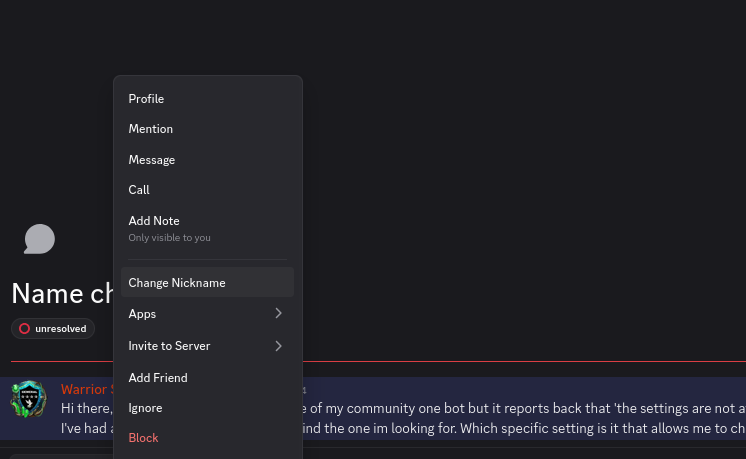
In the CommunityOne Builders Help forum, a user asked how to change their CommunityOne bot's name after receiving an error message indicating the settings were unavailable. A moderator clarified that customizing bot information via the dashboard is a premium feature. For users on the free version, the bot's nickname can be changed directly within Discord by right-clicking the bot's name in the server and selecting "Change Nickname."

Original Post

Hi there, I would like to change the name of my community one bot but it reports back that 'the settings are not available for this bot to do this action', or something along those lines....
I've had a peek in the settings but cant find the one im looking for. Which specific setting is it that allows me to change the name of the bot?

Reply

hi there! are you using our premium or free version of the bot

Reply

so for the citadel one, it looks like u are on freeplus,

Reply

you can't customize the bot info on our dashboard since it is a premium feature, but if u want to change the nickname, u can do it via Discord directly

Reply

You can right click on the bot name on your discord sever, then click on change nickname (like on this screenshot I right-clicked on your name on the chat)

How to Change Your CommunityOne Bot Name

The latest from CommunityOne Builders Help









