5057_thinking_emoji_minecraft
Que signifie l’emoji 5057_thinking_emoji_minecraft ?
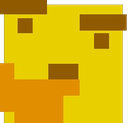
A blocky, pixelated take on the classic thinking face meme.
This emoji features a Minecraft-inspired, blocky yellow face with a hand resting on its chin in a classic 'thinking' pose. It is a staple in gaming communities, particularly on Discord servers where users want to express skepticism, deep contemplation, or subtle sarcasm in a blocky, low-fi aesthetic.
Quand l’utiliser
- Questioning a suspicious statement in chat
- Pondering a difficult decision during gameplay
- Expressing deep confusion about a message
- Reacting to a questionable take sarcastically
Dans ces collections
Related emoji searches
More inspired emojis
Intégrer et partager
Comment ajouter cet emoji
Add to Discord
- Cliquez sur Ajouter à mon serveur ci-dessus et choisissez un serveur Discord que vous gérez (CommunityOne doit être installé).
- Ou téléchargez le fichier : ouvrez Discord → Paramètres du serveur → Emoji → Importer un emoji.
- Donnez-lui un nom et enregistrez. Vous avez besoin de la permission Gérer le serveur (ou Créer des expressions).
Ajouter à Slack
- Téléchargez l’image 5057_thinking_emoji_minecraft.
- Ouvrez le sélecteur d’emojis Slack et cliquez sur Ajouter un emoji.
- Importez le fichier, nommez-le et enregistrez.
Ajouter à Revolt/Stoat
- Téléchargez l’image 5057_thinking_emoji_minecraft.
- Ouvrez Paramètres du serveur → Emojis dans Revolt ou Stoat.
- Importez le fichier et nommez votre nouvel emoji.
Ajouter à Guilded
- Téléchargez l’image 5057_thinking_emoji_minecraft.
- Allez dans Paramètres du serveur → Emotes dans Guilded.
- Importez le fichier et donnez-lui un nom.











