hicat
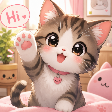
Que signifie l’emoji hicat ?
The ultimate adorable way to say hello in any chat.
This cute tabby kitten emoji captures the essence of wholesome internet culture with its cheerful wave and friendly 'Hi' speech bubble. It is a staple for Discord servers looking to add a touch of warmth, friendliness, and kawaii aesthetic to their daily conversations.
Quand l’utiliser
- Greeting new members joining the server
- Saying hello to friends in chat
- Starting a friendly conversation with someone
- Adding a cute touch to messages
Dans ces collections
Related emoji searches
More inspired emojis
Intégrer et partager
Comment ajouter cet emoji
Add to Discord
- Cliquez sur Ajouter à mon serveur ci-dessus et choisissez un serveur Discord que vous gérez (CommunityOne doit être installé).
- Ou téléchargez le fichier : ouvrez Discord → Paramètres du serveur → Emoji → Importer un emoji.
- Donnez-lui un nom et enregistrez. Vous avez besoin de la permission Gérer le serveur (ou Créer des expressions).
Ajouter à Slack
- Téléchargez l’image hicat.
- Ouvrez le sélecteur d’emojis Slack et cliquez sur Ajouter un emoji.
- Importez le fichier, nommez-le et enregistrez.
Ajouter à Revolt/Stoat
- Téléchargez l’image hicat.
- Ouvrez Paramètres du serveur → Emojis dans Revolt ou Stoat.
- Importez le fichier et nommez votre nouvel emoji.
Ajouter à Guilded
- Téléchargez l’image hicat.
- Allez dans Paramètres du serveur → Emotes dans Guilded.
- Importez le fichier et donnez-lui un nom.











