wha
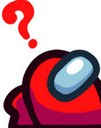
Que signifie l’emoji wha ?
The ultimate expression of pure, unadulterated confusion.
This emoji features the iconic red crewmate from the social deduction game Among Us, rendered in a state of utter bewilderment with a bright red question mark hovering above. It has become a staple in Discord servers for reacting to nonsensical messages, confusing game mechanics, or when someone says something completely out of pocket. It perfectly captures the 'wait, what?' energy that defines the Among Us community's chaotic communication style.
Quand l’utiliser
- Expressing total confusion during a chaotic conversation
- Reacting to a nonsensical or bizarre chat message
- Questioning a strange decision made by someone
- Highlighting a confusing moment in a game
Dans ces collections
Related emoji searches
More inspired emojis
Intégrer et partager
Comment ajouter cet emoji
Add to Discord
- Cliquez sur Ajouter à mon serveur ci-dessus et choisissez un serveur Discord que vous gérez (CommunityOne doit être installé).
- Ou téléchargez le fichier : ouvrez Discord → Paramètres du serveur → Emoji → Importer un emoji.
- Donnez-lui un nom et enregistrez. Vous avez besoin de la permission Gérer le serveur (ou Créer des expressions).
Ajouter à Slack
- Téléchargez l’image wha.
- Ouvrez le sélecteur d’emojis Slack et cliquez sur Ajouter un emoji.
- Importez le fichier, nommez-le et enregistrez.
Ajouter à Revolt/Stoat
- Téléchargez l’image wha.
- Ouvrez Paramètres du serveur → Emojis dans Revolt ou Stoat.
- Importez le fichier et nommez votre nouvel emoji.
Ajouter à Guilded
- Téléchargez l’image wha.
- Allez dans Paramètres du serveur → Emotes dans Guilded.
- Importez le fichier et donnez-lui un nom.











