HowDoIRespond
O que significa o emoji HowDoIRespond?
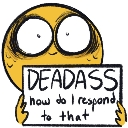
A bewildered little guy who is completely at a loss for words.
This emoji features a wide-eyed, hand-drawn character holding a sign that reads 'DEADASS how do I respond to that'. It is a quintessential reaction image used in Discord servers when someone drops a message so absurd, bizarre, or cringe-worthy that it leaves the recipient speechless. It perfectly captures that specific feeling of being stunned into silence by the sheer audacity of a conversation.
Quando usar
- Responding to an incredibly bizarre chat message
- Expressing total confusion at a weird statement
- Reacting to an awkward or cringe comment
- Showing you have absolutely no words left
Also known as:
:how_do_i_respond: :emoji_17: :emoji_29: :emoji_79:
Parte destas coleções
Related emoji searches
More inspired emojis
Incorporar e partilhar
Como adicionar este emoji
Add to Discord
- Clique em Adicionar ao meu servidor acima e escolha um servidor Discord que administra (a CommunityOne deve estar instalada).
- Ou descarregue o ficheiro: abra o Discord → Definições do servidor → Emoji → Carregar emoji.
- Dê-lhe um nome e guarde. Precisa da permissão Gerir servidor (ou Criar expressões).
Adicionar ao Slack
- Descarregue a imagem HowDoIRespond.
- Abra o seletor de emojis do Slack e clique em Adicionar emoji.
- Carregue o ficheiro, dê-lhe um nome e guarde.
Adicionar ao Revolt/Stoat
- Descarregue a imagem HowDoIRespond.
- Abra Definições do servidor → Emojis no Revolt ou Stoat.
- Carregue o ficheiro e dê um nome ao novo emoji.
Adicionar ao Guilded
- Descarregue a imagem HowDoIRespond.
- Vá a Definições do servidor → Emotes no Guilded.
- Carregue o ficheiro e dê-lhe um nome.











