ingame_moderator
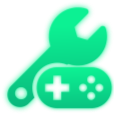
O que significa o emoji ingame_moderator?
The ultimate symbol for when you're fixing the game or laying down the law.
This emoji combines a wrench and a game controller, representing the intersection of technical support and gaming authority. It is frequently used in Discord servers by moderators, developers, or power users to signal that they are troubleshooting a game issue or enforcing server rules during a session.
Quando usar
- Fixing technical issues during a gaming session
- Moderating chat during intense multiplayer matches
- Updating server rules for game channels
- Troubleshooting connection errors for team members
Parte destas coleções
Related emoji searches
More inspired emojis
Incorporar e partilhar
Como adicionar este emoji
Add to Discord
- Clique em Adicionar ao meu servidor acima e escolha um servidor Discord que administra (a CommunityOne deve estar instalada).
- Ou descarregue o ficheiro: abra o Discord → Definições do servidor → Emoji → Carregar emoji.
- Dê-lhe um nome e guarde. Precisa da permissão Gerir servidor (ou Criar expressões).
Adicionar ao Slack
- Descarregue a imagem ingame_moderator.
- Abra o seletor de emojis do Slack e clique em Adicionar emoji.
- Carregue o ficheiro, dê-lhe um nome e guarde.
Adicionar ao Revolt/Stoat
- Descarregue a imagem ingame_moderator.
- Abra Definições do servidor → Emojis no Revolt ou Stoat.
- Carregue o ficheiro e dê um nome ao novo emoji.
Adicionar ao Guilded
- Descarregue a imagem ingame_moderator.
- Vá a Definições do servidor → Emotes no Guilded.
- Carregue o ficheiro e dê-lhe um nome.











