Alert
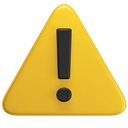
What does the Alert emoji mean?
The ultimate signal for when things are about to go sideways.
This 3D-rendered alert icon is a staple in digital communication for signaling caution, danger, or an incoming bad take. It mimics the classic hazard symbol used in operating systems and road signs, making it an essential tool for Discord server moderators or friends warning each other about a chaotic message.
When to use it
- Warning friends about a cursed message incoming
- Signaling immediate danger in a gaming lobby
- Highlighting a serious rule violation in chat
- Notifying users about an important server announcement
Part of these collections
Related emoji searches
More inspired emojis
Embed & share
How to add this emoji
Add to Discord
- Click Add to my server above and pick a Discord server you manage (CommunityOne must be installed).
- Or download the file: open Discord → Server Settings → Emoji → Upload Emoji.
- Give it a name and save. You need Manage Server (or Create Expressions) permission.
Add to Slack
- Download the Alert image.
- Open the Slack emoji picker and click Add Emoji.
- Upload the file, name it, and save.
Add to Revolt/Stoat
- Download the Alert image.
- Open Server Settings → Emojis in Revolt or Stoat.
- Upload the file and name your new emoji.
Add to Guilded
- Download the Alert image.
- Go to Server Settings → Emotes in Guilded.
- Upload the file and give it a name.











