bruh
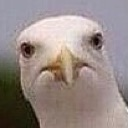
What does the bruh emoji mean?
The ultimate expression of pure, unadulterated judgment.
This emoji features a close-up of a seagull staring directly into the camera with an intense, deadpan expression often interpreted as 'bruh' or extreme skepticism. It has become a staple in Discord servers for reacting to questionable takes, awkward moments, or when someone says something so ridiculous it leaves you speechless. The bird's unblinking, judgmental gaze perfectly captures the feeling of being completely unimpressed.
When to use it
- Reacting to a truly questionable hot take
- Expressing disbelief at a friend's silly mistake
- Showing silent judgment during an awkward conversation
- Responding to an incredibly obvious or dumb question
Part of these collections
Related emoji searches
More inspired emojis
Embed & share
How to add this emoji
Add to Discord
- Click Add to my server above and pick a Discord server you manage (CommunityOne must be installed).
- Or download the file: open Discord → Server Settings → Emoji → Upload Emoji.
- Give it a name and save. You need Manage Server (or Create Expressions) permission.
Add to Slack
- Download the bruh image.
- Open the Slack emoji picker and click Add Emoji.
- Upload the file, name it, and save.
Add to Revolt/Stoat
- Download the bruh image.
- Open Server Settings → Emojis in Revolt or Stoat.
- Upload the file and name your new emoji.
Add to Guilded
- Download the bruh image.
- Go to Server Settings → Emotes in Guilded.
- Upload the file and give it a name.











