Bubbles
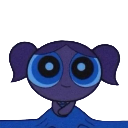
What does the Bubbles emoji mean?
Bubbles from The Powerpuff Girls looking extra moody and blue.
This emoji features Bubbles from the iconic animated series The Powerpuff Girls, rendered in a dark, monochromatic blue color palette. It is frequently used in Discord servers to express a sense of melancholy, feeling blue, or simply to add a moody aesthetic to chat reactions.
When to use it
- Expressing feelings of sadness during a conversation
- Reacting to a depressing or gloomy message
- Showing a moody or dark aesthetic vibe
- Representing a blue-themed character in chat
Part of these collections
Related emoji searches
More inspired emojis
Embed & share
How to add this emoji
Add to Discord
- Click Add to my server above and pick a Discord server you manage (CommunityOne must be installed).
- Or download the file: open Discord → Server Settings → Emoji → Upload Emoji.
- Give it a name and save. You need Manage Server (or Create Expressions) permission.
Add to Slack
- Download the Bubbles image.
- Open the Slack emoji picker and click Add Emoji.
- Upload the file, name it, and save.
Add to Revolt/Stoat
- Download the Bubbles image.
- Open Server Settings → Emojis in Revolt or Stoat.
- Upload the file and name your new emoji.
Add to Guilded
- Download the Bubbles image.
- Go to Server Settings → Emotes in Guilded.
- Upload the file and give it a name.











