dawgwhat
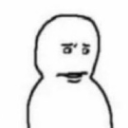
What does the dawgwhat emoji mean?
The ultimate reaction for when you are absolutely bewildered by someone's nonsense.
This emoji features a minimalist, hand-drawn character with a blank, dead-eyed stare that perfectly captures the 'dawg what' energy. It is a staple in internet culture for responding to baffling statements, absurd takes, or confusing situations in Discord and Slack channels. Use it whenever words fail to express your sheer disbelief at the audacity or stupidity of a message.
When to use it
- Reacting to someone saying something completely absurd
- Expressing confusion at a bizarre server message
- Showing disbelief after reading a terrible take
- Questioning the logic behind a strange decision
Part of these collections
Related emoji searches
More inspired emojis
Embed & share
How to add this emoji
Add to Discord
- Click Add to my server above and pick a Discord server you manage (CommunityOne must be installed).
- Or download the file: open Discord → Server Settings → Emoji → Upload Emoji.
- Give it a name and save. You need Manage Server (or Create Expressions) permission.
Add to Slack
- Download the dawgwhat image.
- Open the Slack emoji picker and click Add Emoji.
- Upload the file, name it, and save.
Add to Revolt/Stoat
- Download the dawgwhat image.
- Open Server Settings → Emojis in Revolt or Stoat.
- Upload the file and name your new emoji.
Add to Guilded
- Download the dawgwhat image.
- Go to Server Settings → Emotes in Guilded.
- Upload the file and give it a name.











