did_i_hear_that_correctly
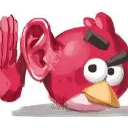
What does the did_i_hear_that_correctly emoji mean?
When you absolutely need to double-check the absolute nonsense you just read.
This emoji features the iconic Red from Angry Birds, modified with a giant human ear to emphasize listening. It is a staple reaction image for Discord servers when someone says something so bizarre, offensive, or confusing that you have to pause and verify if you heard it correctly. It perfectly captures the 'wait, what?' energy of a digital conversation.
When to use it
- Questioning a bizarre statement in chat
- Reacting to an unbelievable piece of gossip
- Expressing disbelief at a wild take
- Asking someone to repeat their confusing message
Part of these collections
Related emoji searches
More inspired emojis
Embed & share
How to add this emoji
Add to Discord
- Click Add to my server above and pick a Discord server you manage (CommunityOne must be installed).
- Or download the file: open Discord → Server Settings → Emoji → Upload Emoji.
- Give it a name and save. You need Manage Server (or Create Expressions) permission.
Add to Slack
- Download the did_i_hear_that_correctly image.
- Open the Slack emoji picker and click Add Emoji.
- Upload the file, name it, and save.
Add to Revolt/Stoat
- Download the did_i_hear_that_correctly image.
- Open Server Settings → Emojis in Revolt or Stoat.
- Upload the file and name your new emoji.
Add to Guilded
- Download the did_i_hear_that_correctly image.
- Go to Server Settings → Emotes in Guilded.
- Upload the file and give it a name.











