eepy
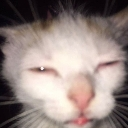
What does the eepy emoji mean?
The ultimate expression of pure, unadulterated exhaustion.
This image features a cat with its eyes squinted shut and a tiny blep, capturing the universal feeling of being completely 'eepy' or sleep-deprived. It has become a staple meme in Discord communities to signal that you are too tired to function, ready for a nap, or just completely over the current conversation.
When to use it
- Signaling that you are ready for bed
- Expressing total exhaustion after a long day
- Responding when you have no energy left
- Showing you are too tired to reply
Also known as:
:cat: :e55e194346d1d5ccf4581954b035478d: :emoji_11_1486250025339195463: :emoji_27:
Part of these collections
Related emoji searches
More inspired emojis
Embed & share
How to add this emoji
Add to Discord
- Click Add to my server above and pick a Discord server you manage (CommunityOne must be installed).
- Or download the file: open Discord → Server Settings → Emoji → Upload Emoji.
- Give it a name and save. You need Manage Server (or Create Expressions) permission.
Add to Slack
- Download the eepy image.
- Open the Slack emoji picker and click Add Emoji.
- Upload the file, name it, and save.
Add to Revolt/Stoat
- Download the eepy image.
- Open Server Settings → Emojis in Revolt or Stoat.
- Upload the file and name your new emoji.
Add to Guilded
- Download the eepy image.
- Go to Server Settings → Emotes in Guilded.
- Upload the file and give it a name.











