leaves (Animated)
What does the leaves emoji mean?
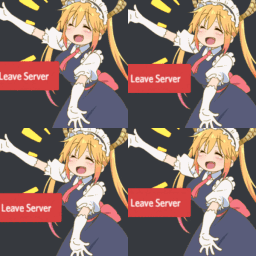
Tohru from Miss Kobayashi's Dragon Maid enthusiastically waving goodbye.
This emoji features Tohru, the beloved dragon maid from the anime Miss Kobayashi's Dragon Maid, happily waving with a 'Leave Server' button overlay. It is a popular choice for Discord servers to playfully signal someone exiting a voice channel or leaving the community, adding a touch of anime charm to standard UI elements.
When to use it
- Signaling departure from a voice channel
- Jokingly telling someone to leave chat
- Announcing your exit from the server
- Reacting to a user leaving the group
Also known as:
:AE_leaveserver:
Part of these collections
Related emoji searches
More inspired emojis
Embed & share
How to add this emoji
Add to Discord
- Click Add to my server above and pick a Discord server you manage (CommunityOne must be installed).
- Or download the file: open Discord → Server Settings → Emoji → Upload Emoji.
- Give it a name and save. You need Manage Server (or Create Expressions) permission.
Add to Slack
- Download the leaves image.
- Open the Slack emoji picker and click Add Emoji.
- Upload the file, name it, and save.
Add to Revolt/Stoat
- Download the leaves image.
- Open Server Settings → Emojis in Revolt or Stoat.
- Upload the file and name your new emoji.
Add to Guilded
- Download the leaves image.
- Go to Server Settings → Emotes in Guilded.
- Upload the file and give it a name.











