multilingual
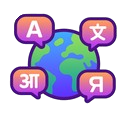
What does the multilingual emoji mean?
Speak every language at once with this global communication icon.
This emoji represents the concept of global communication and multilingualism, featuring a globe surrounded by speech bubbles with characters from various scripts. It is frequently used in Discord servers with international members to signify translation support, language learning, or simply to acknowledge diverse linguistic backgrounds.
When to use it
- Indicating support for multiple different spoken languages
- Requesting a translation for a specific message
- Celebrating the diversity of an international server
- Highlighting a channel dedicated to language learning
Part of these collections
Related emoji searches
More inspired emojis
Embed & share
How to add this emoji
Add to Discord
- Click Add to my server above and pick a Discord server you manage (CommunityOne must be installed).
- Or download the file: open Discord → Server Settings → Emoji → Upload Emoji.
- Give it a name and save. You need Manage Server (or Create Expressions) permission.
Add to Slack
- Download the multilingual image.
- Open the Slack emoji picker and click Add Emoji.
- Upload the file, name it, and save.
Add to Revolt/Stoat
- Download the multilingual image.
- Open Server Settings → Emojis in Revolt or Stoat.
- Upload the file and name your new emoji.
Add to Guilded
- Download the multilingual image.
- Go to Server Settings → Emotes in Guilded.
- Upload the file and give it a name.











