NoCross
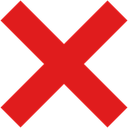
What does the NoCross emoji mean?
The ultimate way to shut down a bad idea in chat.
This bold red X is a staple for moderation and quick communication in Discord servers. It serves as a visual shorthand for 'no,' 'denied,' or 'incorrect,' helping users cut through the noise without typing a word. Its minimalist design makes it highly readable even in small emoji sizes.
When to use it
- Rejecting a suggestion in a server channel
- Marking an incorrect answer during a quiz
- Stopping a conversation that is going wrong
- Voting against a proposal in a poll
Also known as:
:No:
Part of these collections
Related emoji searches
More inspired emojis
Embed & share
How to add this emoji
Add to Discord
- Click Add to my server above and pick a Discord server you manage (CommunityOne must be installed).
- Or download the file: open Discord → Server Settings → Emoji → Upload Emoji.
- Give it a name and save. You need Manage Server (or Create Expressions) permission.
Add to Slack
- Download the NoCross image.
- Open the Slack emoji picker and click Add Emoji.
- Upload the file, name it, and save.
Add to Revolt/Stoat
- Download the NoCross image.
- Open Server Settings → Emojis in Revolt or Stoat.
- Upload the file and name your new emoji.
Add to Guilded
- Download the NoCross image.
- Go to Server Settings → Emotes in Guilded.
- Upload the file and give it a name.











