oh (Animated)
What does the oh emoji mean?
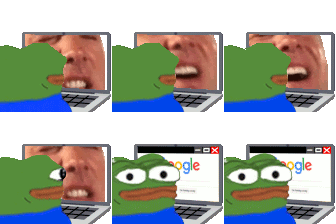
Pepe gets a sudden reality check while browsing the internet.
This animated emoji features Pepe the Frog sitting at a laptop, initially watching a chaotic, screaming face before suddenly switching to a calm Google search screen. It perfectly captures the feeling of abruptly stopping a questionable activity when someone walks into the room or when you realize you've gone too far. It is a staple in Discord servers for moments of sudden realization, awkward transitions, or hiding one's true browsing habits.
When to use it
- Hiding your browser history from others
- Transitioning to a serious topic abruptly
- Stopping a weird video when someone enters
- Pretending to be productive while procrastinating
Part of these collections
Related emoji searches
More inspired emojis
Embed & share
How to add this emoji
Add to Discord
- Click Add to my server above and pick a Discord server you manage (CommunityOne must be installed).
- Or download the file: open Discord → Server Settings → Emoji → Upload Emoji.
- Give it a name and save. You need Manage Server (or Create Expressions) permission.
Add to Slack
- Download the oh image.
- Open the Slack emoji picker and click Add Emoji.
- Upload the file, name it, and save.
Add to Revolt/Stoat
- Download the oh image.
- Open Server Settings → Emojis in Revolt or Stoat.
- Upload the file and name your new emoji.
Add to Guilded
- Download the oh image.
- Go to Server Settings → Emotes in Guilded.
- Upload the file and give it a name.











