ShuSoon
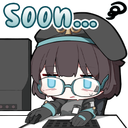
What does the ShuSoon emoji mean?
The ultimate way to tell everyone you're working on it.
This emoji features a chibi-style character typing away at a computer with a 'Soon...' text overlay, capturing the universal feeling of anticipation. It is perfect for Discord servers where developers, artists, or community managers need to playfully signal that an update or announcement is in progress.
When to use it
- Signaling that an update is coming soon
- Replying to impatient users asking for news
- Showing progress on a pending project task
- Humorously stalling for time during a chat
Part of these collections
Related emoji searches
More inspired emojis
Embed & share
How to add this emoji
Add to Discord
- Click Add to my server above and pick a Discord server you manage (CommunityOne must be installed).
- Or download the file: open Discord → Server Settings → Emoji → Upload Emoji.
- Give it a name and save. You need Manage Server (or Create Expressions) permission.
Add to Slack
- Download the ShuSoon image.
- Open the Slack emoji picker and click Add Emoji.
- Upload the file, name it, and save.
Add to Revolt/Stoat
- Download the ShuSoon image.
- Open Server Settings → Emojis in Revolt or Stoat.
- Upload the file and name your new emoji.
Add to Guilded
- Download the ShuSoon image.
- Go to Server Settings → Emotes in Guilded.
- Upload the file and give it a name.











