ShuSoon
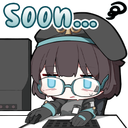
¿Qué significa el emoji ShuSoon?
The ultimate way to tell everyone you're working on it.
This emoji features a chibi-style character typing away at a computer with a 'Soon...' text overlay, capturing the universal feeling of anticipation. It is perfect for Discord servers where developers, artists, or community managers need to playfully signal that an update or announcement is in progress.
Cuándo usarlo
- Signaling that an update is coming soon
- Replying to impatient users asking for news
- Showing progress on a pending project task
- Humorously stalling for time during a chat
Parte de estas colecciones
Related emoji searches
More inspired emojis
Insertar y compartir
Cómo añadir este emoji
Añadir a Discord
- Haz clic en Añadir a mi servidor arriba y elige un servidor de Discord que administres (CommunityOne debe estar instalado).
- O descarga el archivo: abre Discord → Ajustes del servidor → Emoji → Subir emoji.
- Dale un nombre y guarda. Necesitas el permiso Administrar servidor (o Crear expresiones).
Añadir a Slack
- Descarga la imagen de ShuSoon.
- Abre el selector de emojis de Slack y haz clic en Añadir emoji.
- Sube el archivo, ponle un nombre y guarda.
Añadir a Revolt/Stoat
- Descarga la imagen de ShuSoon.
- Abre Ajustes del servidor → Emojis en Revolt o Stoat.
- Sube el archivo y pon nombre a tu nuevo emoji.
Añadir a Guilded
- Descarga la imagen de ShuSoon.
- Ve a Ajustes del servidor → Emotes en Guilded.
- Sube el archivo y dale un nombre.











