Zellonia
Zellonia Discord server banner

Zellonia Updates & Events

Server Updates & Events

Announcements

🎶 Music is BACK!!!
Apologies for taking so long to get it back up and running. My personal life has been busier than ever (ik that is like my go to excuse but it's the truth).
@Updates

Forum Channels Rolling Out for Communities

Hey Admins and Mods,

Y’all ready for some of that ~ juicy ~ product news?

After a bunch of testing, we’re excited to begin rolling out Forum Channels across Community servers!

Forum Channels are a new type of channel that provide a dedicated, organized space for conversations. Since conversations are contained in individual posts, your members can browse topics before jumping in—without worrying about breaking up or getting in the way of other on-going conversations.

If you’ve been waiting for this news in anticipation and are ready to dive right in, go right ahead and click that Create Channel button. You should see that forum channels are now an option for you. If it’s not, you may be part of a small group of users who will have to wait just a little longer. ()

Want to do a bit more deep thonking and research around how to best use Forum Channels before diving in? The following article on our Community Resources site will guide you on your journey to reaching forum Valhalla: https://discord.com/community/creating-value-with-conversation

https://www.youtube.com/watch?v=y4MxuHNIIg0

Organize your Server with Forums


Presenting a brand new feature with old school energy: Forum Channels.
Give your community a place to get ~Into It~ about topics without talking over anybody else.
More info: https://www.dis.gd/forum-channels

↓ look at us goooooooooooooooooooooooo ↓
Twitter: https://twitter.com/discord
Instagram: https://www.instagram.com/discord
Facebook: htt...

Forum Channels Rolling Out for Communities

AutoMod Spam Filters & Raid Protection Preview

Hey Admins and Mods!

In our mission to help you keep your communities safe and lift some of that moderation work off your shoulders, we’ve set our sights on helping you more easily detect and prevent spam and raids. Today's spotlight introduces new features that help keep your communities cleaner from spam, and a preview into our early plans on building tools to deal with raids.

:automod: Keep your Community clean from spam with new AutoMod spam filters
We know dealing with spammy messages sucks. If only there was a way spammy messages could be blocked from being posted in your channels and threads in the first place…

Thankfully, every community’s best friend in moderation - AutoMod - just got buffed with some new spam-cleansing abilities. Enable AutoMod in Server Settings > AutoMod to save hours of moderation work with these new filters:
:dot:Block Mention Spam - Detect and block mention spam and mention raids before they happen to keep chat clean and prevent members in your community from receiving annoying mention notifications and ghost pings. Set your own limit on the number of mentions a message may contain (up to 50).
:dot: Block Spam Content - Detect and block messages containing text content that has been widely flagged as spam by user reports. Great for blocking unwanted spam like those pesky free Nitro scams, unsolicited advertisements, and invite spam that disrupt your Community's friendly conversations and game nights.
Check out our updated AutoMod FAQ help article: https://support.discord.com/hc/en-us/articles/4421269296535-AutoMod-FAQ

Our early plans and progress to protect communities from raids
We know being raided is one of the worst experiences you and your Community can go through which is why we’re giving you a heads up that we’re exploring ways to better detect and prevent raids before they take place, while making it easier to de-escalate a raid when they do happen.

While we’re in the earlier stages of progress here at Discord Labs™, rest assured we’re eager to equip you with effective tools to more easily deal with raids as quickly as we can. So what can you do now?
:dot: Report Raids: You can now directly send us feedback reports when a raid is taking place in your server by going to your Server Dropdown and selecting Report Raid. If your Community is being raided, we encourage you to partner with us in our moderation efforts by reporting the situation as we’ll be regularly reviewing your raid reports to develop tooling that combat raids.
:dot: Pause invitations to your Community at anytime - You can now pause your invite links for when you want to temporarily prevent people from joining your server without having to revoking your invite links or vanity URLs - just head over to Server Settings > Invites.
Because this cuts off the flow of new arrivals, you'll have an easier time halting a raid in progress. It also lets well-intentioned community members trying to join know that the stoppage is temporary, and that soon, they’ll be able to come back to the same link and try again.
Learn more about pausing invites: https://support.discord.com/hc/en-us/articles/8458903738647

**How we’re protecting communities from suspicious links: **
To help y’all with the legwork in dealing with messages containing malicious links, we’ve buffed every Community server with a proactive suspicious link filter designed to detect and block messages containing links that are verified to be harmful, such as those leading to malware or phishing sites that try to steal people’s personal or financial information. We’ll be continuously working on identifying links that might mislead or redirect users by reviewing a regularly updated list of unsafe and phishing websites: https://support.discord.com/hc/en-us/articles/7326747355159-Why-was-my-message-not-delivered-

Zellonia Update Patch Notes and Class Changes

To Be Announced
https://docs.google.com/document/d/1YJlOdtEtyvmQbIVrqyV4LfDr4CobYdWxFVnD009ZXpY/edit?usp=sharing

Updates


, some balancing, edits, and some new content. ?Edit: Jester ability list has been moved to “Fan Made Abilities”?https://drive.google.com/drive/folders/1AmDL9zELah3SW_QSYV19R8iK4j5HPvs6?usp=sharing fisherman/Jester moved to “Fan Made Classes”??Classes:?Fabricator: Flaws: -1 Strength,...

Zellonia Update Patch Notes and Class Changes

Zellonia Community Update: Events Resources & App Changes

Hey Admins and Moderators,

We've got an update on all things Community today!

If you haven't joined our Discord Admin Community… what are you waiting for? Head over to Server Setting > Community overview and join us — we've got a slew of exciting and fun stuff planned that you won’t want to miss out on.

🪴 Below is a sneak peek at the Stage events we’ve got cookin’!

August 16th: Safety on Discord
August 25th: Utilizing Automod in your Community

To join our Discord Admin Community, your server will need to hit a few engagement requirements. Once your community reaches the requirements listed https://dis.gd/DAC-FAQ, any of your Admins or Moderators with the “Manage Server” permission will be able to join the Discord Admin Community via Server Settings > Community.

📚 Community Resources
We recently released our Community Resources, a one-stop shop for learning how to build, engage, grow, and manage a space where anyone can belong. New articles, showcases, and more will be added in the future, so be sure to bookmark it for later. https://dis.gd/Community_Resources

If you haven't already taken a peek at some of our content, you can check out the latest video! https://dis.gd/H2M_Your_Discord_Community

🤖 Apps & Bots
If your server uses a verified app, the way you send commands has probably changed in the last year - if it hasn’t, it may very soon! Developers of verified apps have been migrating to Slash Commands. The deadline to finish migrating is the end of August, which means on Sept 1, any apps that haven’t finished may have reduced functionality.

If you haven’t tried out slash commands yet, type / in your server to see all the commands you have access to. If your favorite app isn’t listed, they may not yet have enabled slash commands. Or, you might need to check out the new permissions system in Server Settings > Integrations.

If you run across any issues, you can reach out to individual app developers to find out more. Learn more here: https://discord.com/blog/welcome-to-the-new-era-of-discord-apps

How to Manage Your Discord Community


Running a Discord community? Mosey on over to https://dis.gd/community-resources for more educational & informative Discord content on illuminative subjects ...

Zellonia Community Update: Events Resources & App Changes

Zellonia Launches AutoMod for Cleaner Communities

Hello Admins & Mods!

It’s official. 2022 is the year of communities. That’s why we’ve been investing in ways to make it easier to start, grow, and protect your communities on Discord.

Today, we’re unveiling new tools and resources fresh from our labs so let’s dive in.

It’s Easy To Keep Your Community And Conversations Clean With AutoMod

Meet AutoMod, your new best friend in moderation. Designed to reduce work and stress for moderators, AutoMod comes equipped with keyword filters to help keep your server clean and safe around the clock by automatically filtering out harmful or undesirable messages before they’re posted. Enjoy newfound peace of mind, even when you’re offline.

Enable AutoMod in Server Settings > AutoMod. Once the wheels are turning…

:dot: Choose from readily available keyword filters or customize your own with lists of words or phrases and the actions AutoMod will take when they’re found in your server.
:dot: AutoMod’s keyword filters can automatically detect, block, and alert you of messages containing harmful words or phrases—before they’re ever posted.
:dot: Receive alerts from AutoMod when members try to use words from your lists and assign actions like Timeout from the alert itself.
:dot: Add Wildcards to your keywords to detect variations of words that partially match those on your lists.
bake* ⇒ Today, we baked some coffee cake
*milk ⇒ I add soymilk to my coffee
*press* ⇒ A Gibraltar is equal parts espresso and milk
:dot: It just works™️ on any message sent (i.e., in #text-channels, Threads, Text chat in Voice channels). Check out our Help Center article for all your burning questions. https://dis.gd/cu-automod-hc

Your friendly AutoMod is raring to go on Windows, macOS, Linux, iOS, Android, and the web app. Don’t delay—employ your AutoMod today! https://dis.gd/cu-automod-blog

New Tools To Build Thriving Communities On Discord

At Discord, we believe anyone can build a thriving community. We’re excited to share new products and support to help you do so—coming sooner than you think.

:dot: Explore a new preview of Premium Memberships, bringing customizability to communities and creators platform-wide! https://dis.gd/cu-community-update
:dot: Meet Community Resources, your one-stop shop for learning how to build your server into a community! Learn to build, engage, grow, and manage a space where anyone can belong. https://dis.gd/cu-community
:dot: Chat with your peers in our brand new Discord Admin Community, a space where admins, creators, and community managers can connect. https://dis.gd/cu-meet-admins

Incredible communities on Discord are built by incredible admins and moderators like you. We can’t wait to do more together.

Meet Your Newest Community Moderator: AutoMod Is Here


Community moderation should be a hobby you celebrate, and we want to help you out. We'll be taking some of that moderation work off your hands and tackling it ourselves: Say hello to AutoMod!

Zellonia Launches AutoMod for Cleaner Communities

Currently the N word And the C word will be moderated and we have a bot moderating images. Thank you all for your votes!

Discord has added Moderation into their app. I have been testing out some of the moderation options so apologies if a message of yours gets removed without notice.

I'd like to take this moment to ask you all as a server, how much moderation should the server have?

:emoji_43: Harsh, no cruse words or anything remotely crude.

:emoji_42: Moderately, Common curse words allowed but nothing else.

:emoji_41: Little, Free to type anything but images are still moderated.

:emoji_24: No moderation.

Text Chat in Voice Channels Arrives June 29

Text Chat in Voice Channels will be enabled automatically for all servers on Wednesday, June 29th and we’ve made it easier for you to moderate the surface with Discord’s AutoMod! Here’s how to make the best of this brand-new feature.

:dot: Customize your server’s Channel and Role permissions and opt-in to Text Chat in Voice Channels ahead of time.
:dot: Many of your favorite moderation bots support monitoring Text Chat in Voice Channels and Discord’s new AutoMod can automatically detect and flag undesirable messages and rule-breakers before they are posted; helping you keep conversations clean and giving you time to focus on the fun parts of managing your community: (AutoMod Help Center article here: https://support.discord.com/hc/en-us/articles/4421269296535-AutoMod-FAQ).
:dot: Debut your new Text Chat In Voice Channels in your next D&D session or movie night.
:dot: Sit back and enjoy a less chaotic #channel with zero context, now that members can send messages within voice channels.

For more details on Text Chat in Voice Channels read our Help Center article here: https://support.discord.com/hc/en-us/articles/4412085582359

We can’t wait to see how you make the most of Text Chat In Voice Channels.

Text Channels & Text Chat In Voice Channels

In Discord, there are three ways to communicate with your friends: voice, video, and text. For this article, you'll learn more about where to engage with others through text.
What this article cove...

Bot is coming back online now! Feel free to report any issues in #channel @Updates

[STATUS]: The bot is temporarily down for maintenance. It will be back up and running in about 4 hours.
@Updates

Discord Embedded Text Chats in Voice — Zellonia

Discord is adding embedded text chats to voice chats!

What does this mean for the server?
A few chats will either have their names changed or just be deleted but, this will not change how you use the server.

How do I use the embedded text chat that are in voice chat?
This new functionality is still “coming soon” but you can take a quick glance at the link bellow to learn how to use them.

https://support.discord.com/hc/en-us/articles/4412085582359-Text-Channels-Text-Chat-In-Voice-Channels

with that, happy pride month🌈 and if you have any questions please let me know!

Text Channels & Text Chat In Voice Channels

In Discord, there are three ways to communicate with your friends: voice, video, and text. For this article, you'll learn more about where to engage with others through text.
What this article cove...

Text Chat in Voice Channels Rolling Out

Hey Admins & Mods,

Beginning Wednesday, 6/1 we’re rolling out Text Chat in Voice Channels to Discord. With embedded chat in voice channels, your community can send messages, GIFs, links, memes, etc. to everyone in the voice channel—no more clogging #channel.

We are rolling out Text Chat in Voice Channels slowly to all servers throughout the week. Initially, it will not be enabled by default for servers that have greater than 200 members or are set as a Community Server.

But once you have access…
:dot: You’ll have a new Server Settings tab on the web or your client called Text in Voice.
:dot: Turn Text Chat in Voice Channels on for your community by selecting Enable.
:dot: Customize permissions for your community, like enabling in specific voice channels or disabling for certain roles. Most developers of your favorite moderation bots have already updated their instances to monitor Text Chat in Voice Channels!

For more details on Text Chat in Voice Channels, read our Help Center article here: https://support.discord.com/hc/en-us/articles/4412085582359

In four weeks, Text Chat in Voice Channels will be automatically enabled for all servers while still respecting your prescribed permissions—but we recommend you enable it early for all your server members to enjoy!

Tap to view image

Zellonia Gaming Chats Vote: Help Shape Channels

@Gamer It has been a while since we have a vote on what gaming chats should stay, be removed, or added. So, we'll have a small vote here and you can add further suggestions in the suggestions chat here: https://discord.com/channels/412657478141083649/432903254469246976

:emoji_39: : Keep them the way they are, please!

:emoji_24: : Some need removed and I'll add my suggestions in the chat.

:emoji_37: : ADD MORE CHATS! I'll add my suggestions in the chat.

:emoji_16: : Some need removed and some added, I'll add my suggestions in the chat.

Thank you for voting! The most reactions will be the deciding factor. If a chat you really love gets voted out PLEASE let me know and I well make it a privet chat so that, in future votes I can bring it back if needed with out any of the chat content being deleted! Thank you again for your votes and i hope you all have a lovely memorial day weekend and conventional Thursday evening!

there is a recall on peanut butter!!!

Zellonia Level 7 Surprise Oneshot RSVP

I'm running a surprise secret oneshot that will potentially be spread out between 2 sessions. Please read all of it as there is important information at the bottom

All interested please RSVP using the 🥭 emoji, and post your availability in #campaign-chat-3. I would likely be running on an upcoming weekend day based on what I imagine availability will be, with the potential of running next Tuesday at 7:30 PM EST (pending; will clarify by the end of tonight whether that will happen)

I have decided the game will be ran at Level 7 to accommodate the players to build crazy, interesting, and diverse (or specialized) characters. (The more unique the better imvho)

Without spoiling too much, it could be fighting based if that's how the party decides to address the challenges, but ANY kind of character would be successful in this kind of game, and I would recommend the party have a diverse set of skills and character types (fighter, talker, swindler, manipulator, peace loving, etc. )

Notes:

  • There will more than likely be some fighting, but there are no forced fighting encounters. All fighting will be caused by player actions either directly or indirectly. :emoji_37:
  • Ran at level 7
  • I am giving everyone two (2) free passives in addition to the one you get during character creation to increase diversity and versatility of talents under the agreement that the passives may not be spent on learning new classes. Please indicate what these 2 passives are on your sheet. You may trade in one or both of these passives for 2 stat points each if you wish. If you do this, please make note on your sheet that you have done this.
  • Diversity is encouraged
  • All alignments are welcome
  • there will be some form or character accountability for actions

May the lord have mercy on me as a GM but this is about to be a blast. :image0:

Zellonia 6th Birthday One-Shot Adventure

It is Zellonia's 6th birthday and to celebrate I am running a one shot some time soon. Actual date will be up to the players who wish to play. Here is a sneak peak of what the one shot story is.

An anomaly has failed to be contained and has created a New dimension of random mazes and creatures. You have found yourself trapped within this anomalies “Game” having little to no idea how to escape.

Will you be able to piece together clues of how to get back home? Will you survive the randomness of this jovial m….c.. monster aka the the the the the…. Anomaly F… F… fou… Found… laughter and the sound of blood splattering the floor, echo throughout this… kitchen?

React to this message if you are interested.

Made some edits to the server permissions to help new members find the "our-server-options" chat. Please let me know if you find any changes or problems compared to your previous experiences on the server. @ me in the suggestions chat here: https://discord.com/channels/412657478141083649/432903254469246976 and I will do my best to fix what ever it might be.

Wanted to take a poll with all of you, would you be interested in watching a twitch stream where I edit zellonia?

Yes=😱 , No=:Missed:, Other=:emoji_23:

If you pick Other please leave your suggestions in the suggestion chat link here v
https://discord.com/channels/412657478141083649/432903254469246976

Zellonia Introduces New HR Team Role

Due to server disagreements and myself being incapable of solving them, for multiple reasons. I have created a new Role on the server called "HR Team". Any one with this role will have access too:

Creating Threads
Managing Threads
Time Outing Members

"HR Team" Will be In charge of:

Solving member to member disagreements/arguments/and all Inquiries not involving exact Zellonia In-game rulings.
Using there ability to create threads ONLY to help solve arguments.
Using "Time Out" powers/commands ONLY for those who are actively and purposely continuing a disagreement and/or argument.
Using there ability to "manage threads" to open or close threads, they have opened to solve Inquiries.

The current voted in "HR Team" includes:
@Jotun @Mango🥭, RN

your roles will show up shortly. I will not hesitate to remove this role if it is used improperly such as:

creating threads for your own, "non-HR" , reasons.
"Managing" A thread you did not create.
Using any "HR Team" resources for any "non-HR" reasons.

I am limiting the "HR Team" to 2 and if you wish to vote in new "HR Team" members please @ myself in the suggestions chat link below.

https://discord.com/channels/412657478141083649/432903254469246976

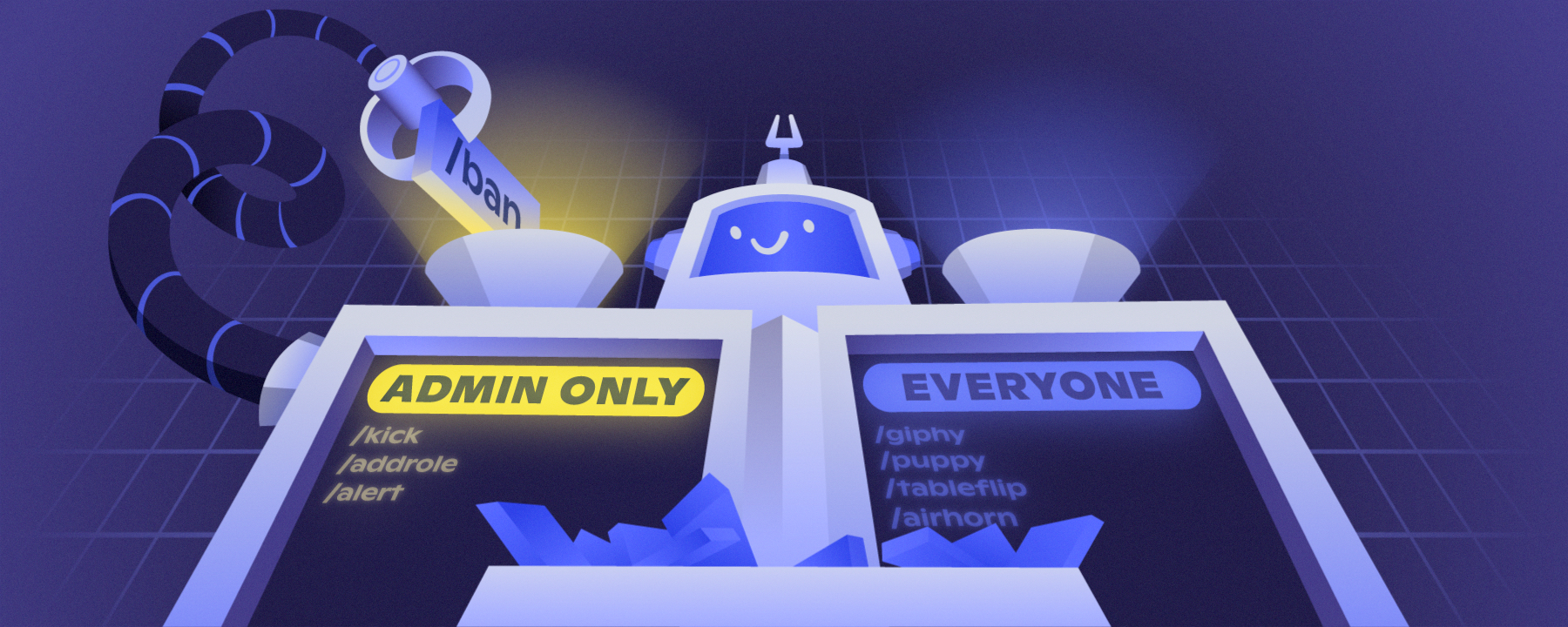
Slash Command Permissions Are Here

Hello Admin & Mods!

Today, we have a new update for slash commands in your servers: Permissions! If you don’t know, slash commands are a new, easier way to use bots on Discord. You might already have some to use—type / to find out!

With this new system, you can:
Control who can use slash commands in your servers
Control in which channels commands can be used
Sync or unsync commands like channels and categories, making mass management and special cases easy to handle

You can find these permissions in Server Settings → Integrations → Pick an app! If the app supports slash commands, you’ll see the UI.

⚠️ If a bot you use has integrated slash commands, the old way of denying the bot Read Messages will not work to moderate commands usage. You’ll need to use this new system to control access.

Not sure if your bots support slash commands? Check out in Server Settings → Integrations, or just type /!

Check out our blog post to learn more and see a detailed walkthrough: https://discord.com/blog/slash-commands-permissions-discord-apps-bots

Permission to Slash, Granted: Introducing Role Permissions for Slas...


There’s a brand-new page in Server Settings: Command Permissions! Server admins and moderators can head into the Integrations page to customize which slash commands can be used, in what channels, and by which roles. Read on for more!

Slash Command Permissions Are Here

Toasty HQ 🍞 #change-log

Toasty HQ 🍞 #announcements