Zellonia
Zellonia Discord server banner

Zellonia Updates & Events

Server Updates & Events

Announcements

Apologies for all of the downtime lately, the Discord API has been ratelimiting Toasty so I've had to make some under the hood adjustments to fix this. The bot will be back up in a few hours
@Updates

We need MORE upvotes on https://toasty.xyz/upvote to make up for the servers we lost during the hack. The top 10 upvoters for this month will receive shiny pokemon of their choice!
🥇 = 5 free shinies
🥈 = 3 free shinies
🥉 = 2 free shinies
4-10 = 1 free shiny

<@​&894780912955433020> I know that a few of our member would like to play Zellonia and I would love to run One shots for you. With this said, finding a time is a bit of a struggle.

Anyone who is interested in learning Zellonia, could you post your free time for this upcoming week in the Zellonia chat. If you could please put it in Standard Eastern Time.

Thank you all for your patients and I hope to be running a one shot for you all soon.

PARTY TOMORROW IN THE VOICE CHANNEL, TIME TBD

LETS GOOOOOOOO

Toasty Is Back — Zellonia Bot Relaunch

TOASTY IS BACK!!!!!! :toastParty::toastParty::toastParty::toastParty::toastParty::toastParty::toastParty::toastParty::toastParty::toastParty:

Thank you ALL for your incredible patience and support during the past few months. I honestly was pretty doubtful that we would be able to get the bot fully back, but we did it!
NOW, go spread the word to all of your friends and ADD TOASTY TO EVERY SERVER.

ROAD TO 100K ‼️

I'm proud to announce that we've added @adi | jigglys to the Helper team! Everyone congratulate him and be sure to annoy him with as many dumb questions about the bot as possible :pepeOhno:

Update: Discord got back to me, they needed clarification on a few questions and features of the bot, so I've submitted that. Hoping this won't take too much longer

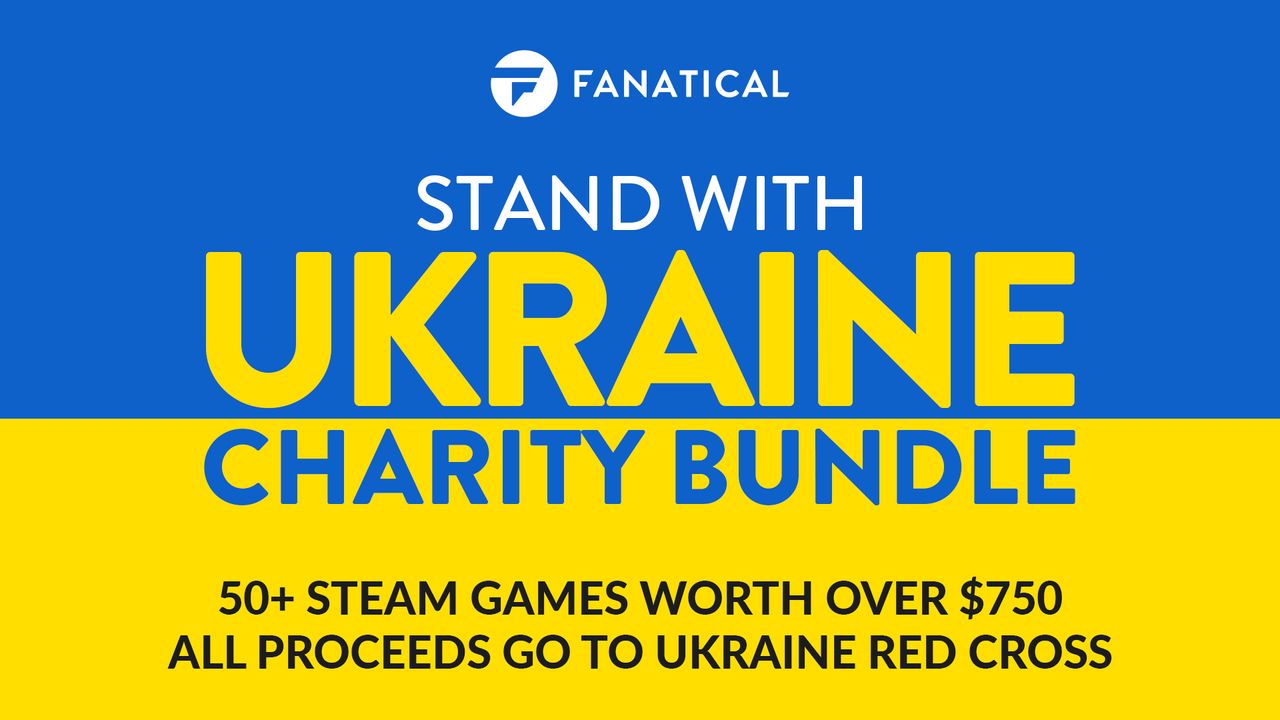
Stand With Ukraine $15 Game Bundle on Fanatical

@Gamer If you like getting games for cheap and supporting a good cause, I highly suggest this 15$ bundle!

https://www.fanatical.com/bundle/stand-with-ukraine-charity-bundle?ref=gfg

Stand With Ukraine Charity Bundle | Steam Game Bundle | Fanatical


Fanatical Stand With Ukraine Charity Bundle. 100% of all...

Stand With Ukraine $15 Game Bundle on Fanatical

Still waiting on Discord 🥱

The server has not grown quite as much as I would like it to be so in order to increase our Community I and give everyone a challenge!

Challenge: Invite 5 new members who have not heard of Zellonia yet. (Previous invites do not count!)

Prize: A month of Discord Nitro!

How to claim the Prize?:
PM or @ me with the profile names of each member you got to join. I will confirm the names and grant you the prize.

Hey everyone. We're yet another step closer in getting Toasty back online for all of you! I've just submitted the bot for verification through Discord, so I'm estimating around 14 days before they get back to me. As a new requirement for verified bots, we were asked to create an official Terms of Service and Privacy Policy. If you're interested in reading them, they can be viewed at https://toasty.xyz/terms and https://toasty.xyz/privacy respectively.
As always, thank you for your patience. Toasty back soon!! :toastParty:
@Updates

Hello everyone, we've made yet another step in the right direction. As you can see, I've re-gained access to my original account! :toastParty:
I'm now continuing to work with Discord towards getting Toasty re-verified so that we can get it up and running again on all of your own servers.
I thank all of you for sticking with me through these unfortunate events and am thankful for your patience as we slowly but surely sort this mess out ❤️ :toasty:
@Updates

Dyno™ #changelogs

I have some good news. Discord said they should be able to get my account back to me in 14-30 days! Stay strong guys, Toasty back soon :toasty:

Toasty HQ 🍞 #announcements

Toasty Bot Compromised — Update from Zellonia

Hey everyone, I hope you all are hanging in there. As many of you know by now, my main account (i am toast#1213) was compromised. The hacker used Toasty to spread a fake automated Discord message to attempt to hack people's accounts. This is obviously very sad for me as I've been working on Toasty for around 6 years now, and we're unsure of wether or not we will be able to get Toasty back.
I've been in contact with Discord for weeks now trying to get my account back, but as many of you probably know, their support team is pretty slow, so it's sort of just a waiting game for now.

On a brighter note, Toasty HQ has remained in-tact, which I'm quite grateful for. The community around Toasty means a lot to me, and I hope I can maintain it through these tough times. For the meantime, I've created a new application of Toasty ( @Toasty ) on this account (one that I can insure will remain uncompromised). You guys can continue to catch pokemon, play music, or whatever else it is you love using Toasty for. For now, however, bot usage has to remain within Toasty HQ due to the fact that the bot is unverified and can only be added to up to 100 servers. Please spread the news to your friends that aren't in Toasty HQ.

Let's keep our hopes high and stick together, we will get through this.
- toast \<3

Zellonia Notice Bot Account Compromised

@Pokemon Trainer
“To anyone wondering what is currently going on, a few days/weeks ago Toast's main account got compromised by a hacker. He has been in contact with discord since the incident. All the while the staff team and I were in hopes they wouldn't recognize or know how to use the developer portal. Quite obviously they did.

At this current moment toast and the rest of the team are doing everything we can to get control of the bot and the main Toast account back.

If you have received a link from toasty, PLEASE DO NOT click it and enter discord information, as many already know.

Thank you for your cooperation while we work on getting things back into order. ❤️ :toasty:”

And now you know 🌈

Toasty HQ 🍞 #announcements

Timeout Feature Live for Moderation

Hey Community Admins and Moderators,

🕐 Timeout feature is now live to all communities

We're excited to share a better way for moderators to temporarily stop a member from interacting in their server! Members in timeout will not be able to reply, react, message or join voice for a set period of time.

:dot: Only Members with Timeout Members permission can time others out. This is default-off, so Owners+Admins will need to grant permission to others. Go to "Server Settings" > Roles.
:dot: Anyone can timeout another member with a role below their own if they have the permission.
:dot:Members who leave and re-join the server will still be in timeout.
:dot: Members in timeout need to upgrade to latest client version to see the time remaining in their timeout. You may need to manually update to latest iOS and Android clients.
:dot:Learn more about this feature here: https://dis.gd/timeout

3 images in update

Events Live and Partner Apps Open

Hey Community Admins & Mods! It's time for another update:

** 📆 Events feature is now live to all servers**
We're excited to share a better way to organize raid nights, study groups, trivia nights, or your next holiday gathering. You'll now be able to create and schedule Events that are directly displayed in your server. Members can RSVP, share, and will also be notified when the event starts.
- Events can be in Voice channels, Stage channels, or in a "free-form" location (Twitch link, IRL, a text channel).
- Only Members with Manage Events permission can create Events. This is default-off, so admins will need to grant it to others.
- The Events tab only shows to Members if there is an upcoming event.
- Both Community and non-Community servers can utilize Events.
- HC Article here: https://dis.gd/events

:Partner: Applications are open for the Discord Partner Program
We love to support communities that invest time and effort on Discord—interested in joining the pack? Apply now and get rewarded for creating an engaged community with our Partner Program. https://dis.gd/partnerapps
- As a server with Community settings enabled, you can apply in-app on the Partner Program tab if your server meets our requirements.
- Once your application is received, your community will be reviewed based on quantitative and qualitative factors to see if it's a great fit for Partnership. Meeting the requirements to apply doesn't guarantee acceptance.
- Best of luck to all you aspiring Partners out there!

Thanks for reading!

Tap to view image

Zellonia Update: Role Icons, Boosts, Events

Hey Community Admins & Mods!

We’ve got some exciting and important updates that we wanted to share with you today. Hopefully these updates are valuable in helping you build and create world class communities here on Discord.

⭐ Custom Role Icons

We’ve just introduced our newest perk to Level 2 Boosting - custom role icons, which gives you a fun way to customize and distinguish roles in your server. You’ll be able to see this new feature on both desktop and mobile, but you’ll need to use desktop to set, change, or delete icons for now!

Icons for each role will display in the members list and next to each member's name in chat, and you can see all icons associated with your roles in your user profile within the server. The role icon that shows next to someone's name in chat is from their highest role (according to Server Settings > Roles hierarchy).

Have more questions? Check our Help Center article here: https://dis.gd/customroleiconsFAQ

:boost:New Boost Level Pricing

We've reduced the number of boosts for Levels 2 and 3 in Server Boosting by half thanks to feedback from our community. Your servers now need 7 boosts to reach Level 2 and 14 boosts to hit Level 3. It’s possible that at this new price point your server may already be at a new level. You can see what those new perks are under Server Name > Server Boost.

📆 Coming Soon: Scheduled Events

We’ve just started to roll out a new feature: Scheduled Events. This will allow you to plan ahead and schedule events in Voice or Stage channels as well as a free-form option for events being hosted outside of Discord (link or address) or in a text channel.

This will be rolling out to 100% of servers over the next few weeks so be on the lookout. For more information check out our Help Center article here: https://support.discord.com/hc/en-us/articles/4409494125719

:serverdiscovery: New Discovery Eligibility

Server Discovery member requirement has now dropped from ~~7000~~ to 1000 members. You can go to "Server Settings" > "Discovery" to check if your server is now eligible.

:stagechannel: Sunset of Stage Discovery

Finally, we’ve spent some time assessing our latest feature Stage Discovery and where best to serve our communities moving forward. We have made the decision that we will be sunsetting Stage Discovery starting on October 4th. For more info on why we’ve made this decision and what’s to come for communities for the rest of the year check out our latest blog post here: https://discord.com/blog/whats-next-for-communities-at-discord

Tap to view image

Threads Launch and Early Access for Zellonia

Hi Admins and Mods!

Today we are officially launching Threads, which can help you and your community organize conversations by topic within a channel. Learn more about this feature in our blog here: https://dis.gd/threads-blog

Threads are both a new means in which your community can engage in conversation and a new surface to consider when moderating servers. So, we wanted to give you a heads up on what this means for your community:

- Threads can be created from any existing message or from the + icon in the chat bar. Learn the basics in the Threads FAQ Help Center Article here: https://support.discord.com/hc/en-us/articles/4403205878423
- We have three new permissions to help you fine-tune which members can create threads, and which channels Threads can be made in. Learn more here: https://support.discord.com/hc/en-us/articles/4404809613847
- We’re initially slow rolling out Threads on Discord, while we monitor performance, but hope to get it to all servers by end of the week.

⚠️ Important ⚠️
For now, Threads will not be enabled by default for Community servers. However, once you get access, you will have a new server settings tab on the web or in your client called “Threads Early Access.”

From there, you can turn on Threads by clicking “Enable Threads,” and customize your Thread permissions for your community (e.g. enable in specific channels or disable for certain roles).

**Otherwise, on August 17th, Thread permissions will be default-on for all Community servers too. **

Happy 🧵ing!

Tap to view image

Stage Discovery Now Live for Community Stages

Hey Admins and Mods!

We have an exciting announcement for our users in US, CA, GB, and AU (more countries to come soon).

Today we are officially launching Stage Discovery, a quick way for users to browse and join open audio events from all sorts of communities.

As a Community server, you can now set your Stage public and allow members from across Discord to listen in on all of the amazing activities happening live in your server. We think this can be a great way to engage and grow your community. Sing, chat, or learn something new by creating or tuning into a Stage now!

There’s a lot more to this new feature, so be sure to read all the details at https://discord.com/stages and make sure your event abides by our Stage Guidelines: https://support.discord.com/hc/articles/1500010879761.

_P.S. On Mobile, Mentions and Quick Switcher have merged into the same tab and there are more exciting things to come 👀 _

Tap to view image