emoji_2
¿Qué significa el emoji emoji_2?
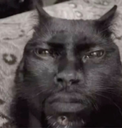
The ultimate 'bruh' moment captured in a single, cursed cat face.
This image is a classic example of a 'cursed' meme, featuring a black cat whose face has been digitally morphed to resemble a human expression of intense judgment or disbelief. It is widely used in Discord servers to react to questionable takes, awkward situations, or when someone says something so ridiculous that words fail you. Its grainy, low-quality aesthetic adds to the comedic impact, making it a staple for ironic humor.
Cuándo usarlo
- Reacting to someone saying something completely ridiculous
- Expressing deep disbelief at a bad take
- Showing silent judgment during an awkward conversation
- Responding to a cursed or weird message
Parte de estas colecciones
Related emoji searches
More inspired emojis
Insertar y compartir
Cómo añadir este emoji
Añadir a Discord
- Haz clic en Añadir a mi servidor arriba y elige un servidor de Discord que administres (CommunityOne debe estar instalado).
- O descarga el archivo: abre Discord → Ajustes del servidor → Emoji → Subir emoji.
- Dale un nombre y guarda. Necesitas el permiso Administrar servidor (o Crear expresiones).
Añadir a Slack
- Descarga la imagen de emoji_2.
- Abre el selector de emojis de Slack y haz clic en Añadir emoji.
- Sube el archivo, ponle un nombre y guarda.
Añadir a Revolt/Stoat
- Descarga la imagen de emoji_2.
- Abre Ajustes del servidor → Emojis en Revolt o Stoat.
- Sube el archivo y pon nombre a tu nuevo emoji.
Añadir a Guilded
- Descarga la imagen de emoji_2.
- Ve a Ajustes del servidor → Emotes en Guilded.
- Sube el archivo y dale un nombre.











