dogjam (Animado)
Skip the manual upload: CommunityOne can add it straight to your server.
¿Qué significa el emoji dogjam?
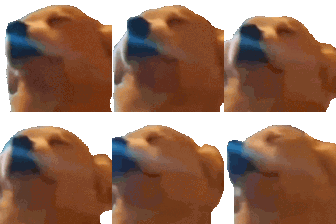
A dog howling into the void with pure, unadulterated passion.
This emoji features a dog with its head tilted back, capturing the iconic howling posture often associated with the 'Awoo' meme. It is a staple in Discord servers for expressing intense emotion, musical fervor, or just reacting to something loud or chaotic. Use it when you want to signal that you are singing along, crying out in frustration, or just being a bit dramatic.
Cuándo usarlo
- Expressing intense passion for a favorite song
- Reacting to something loud or chaotic happening
- Singing along with friends in voice chat
- Showing dramatic frustration with a funny situation
Also known as:
:godjam: :dog_jam: :_STAR_emoji_387:
Parte de estas colecciones
Related emoji searches
More inspired emojis
Insertar y compartir
Cómo añadir este emoji
Añadir a Discord
- Haz clic en Añadir a mi servidor arriba y elige un servidor de Discord que administres (CommunityOne debe estar instalado).
- O descarga el archivo: abre Discord → Ajustes del servidor → Emoji → Subir emoji.
- Dale un nombre y guarda. Necesitas el permiso Administrar servidor (o Crear expresiones).
Añadir a Slack
- Descarga la imagen de dogjam.
- Abre el selector de emojis de Slack y haz clic en Añadir emoji.
- Sube el archivo, ponle un nombre y guarda.
Añadir a Revolt/Stoat
- Descarga la imagen de dogjam.
- Abre Ajustes del servidor → Emojis en Revolt o Stoat.
- Sube el archivo y pon nombre a tu nuevo emoji.
Añadir a Guilded
- Descarga la imagen de dogjam.
- Ve a Ajustes del servidor → Emotes en Guilded.
- Sube el archivo y dale un nombre.











