dogjam (Animé)
Skip the manual upload: CommunityOne can add it straight to your server.
Que signifie l’emoji dogjam ?
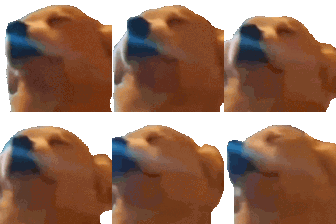
A dog howling into the void with pure, unadulterated passion.
This emoji features a dog with its head tilted back, capturing the iconic howling posture often associated with the 'Awoo' meme. It is a staple in Discord servers for expressing intense emotion, musical fervor, or just reacting to something loud or chaotic. Use it when you want to signal that you are singing along, crying out in frustration, or just being a bit dramatic.
Quand l’utiliser
- Expressing intense passion for a favorite song
- Reacting to something loud or chaotic happening
- Singing along with friends in voice chat
- Showing dramatic frustration with a funny situation
Also known as:
:godjam: :dog_jam: :_STAR_emoji_387:
Dans ces collections
Related emoji searches
More inspired emojis
Intégrer et partager
Comment ajouter cet emoji
Add to Discord
- Cliquez sur Ajouter à mon serveur ci-dessus et choisissez un serveur Discord que vous gérez (CommunityOne doit être installé).
- Ou téléchargez le fichier : ouvrez Discord → Paramètres du serveur → Emoji → Importer un emoji.
- Donnez-lui un nom et enregistrez. Vous avez besoin de la permission Gérer le serveur (ou Créer des expressions).
Ajouter à Slack
- Téléchargez l’image dogjam.
- Ouvrez le sélecteur d’emojis Slack et cliquez sur Ajouter un emoji.
- Importez le fichier, nommez-le et enregistrez.
Ajouter à Revolt/Stoat
- Téléchargez l’image dogjam.
- Ouvrez Paramètres du serveur → Emojis dans Revolt ou Stoat.
- Importez le fichier et nommez votre nouvel emoji.
Ajouter à Guilded
- Téléchargez l’image dogjam.
- Allez dans Paramètres du serveur → Emotes dans Guilded.
- Importez le fichier et donnez-lui un nom.











