GMS_Minecraft
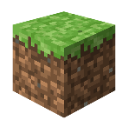
Que signifie l’emoji GMS_Minecraft ?
The iconic block that started it all, perfect for building your chat's foundation.
This is the classic Grass Block from Minecraft, the fundamental building material of the world's most popular sandbox game. In Discord servers, it is frequently used to represent gaming, construction, or simply as a nod to the blocky aesthetic of the game. It serves as a versatile reaction for anything related to Minecraft, world-building, or just showing off your gamer credentials.
Quand l’utiliser
- Celebrating a new Minecraft server launch
- Signifying the start of a building project
- Representing the classic gaming aesthetic perfectly
- Showing love for sandbox survival games
Also known as:
:1987_Minecraft:
Dans ces collections
Related emoji searches
More inspired emojis
Intégrer et partager
Comment ajouter cet emoji
Add to Discord
- Cliquez sur Ajouter à mon serveur ci-dessus et choisissez un serveur Discord que vous gérez (CommunityOne doit être installé).
- Ou téléchargez le fichier : ouvrez Discord → Paramètres du serveur → Emoji → Importer un emoji.
- Donnez-lui un nom et enregistrez. Vous avez besoin de la permission Gérer le serveur (ou Créer des expressions).
Ajouter à Slack
- Téléchargez l’image GMS_Minecraft.
- Ouvrez le sélecteur d’emojis Slack et cliquez sur Ajouter un emoji.
- Importez le fichier, nommez-le et enregistrez.
Ajouter à Revolt/Stoat
- Téléchargez l’image GMS_Minecraft.
- Ouvrez Paramètres du serveur → Emojis dans Revolt ou Stoat.
- Importez le fichier et nommez votre nouvel emoji.
Ajouter à Guilded
- Téléchargez l’image GMS_Minecraft.
- Allez dans Paramètres du serveur → Emotes dans Guilded.
- Importez le fichier et donnez-lui un nom.











