hehe
O que significa o emoji hehe?
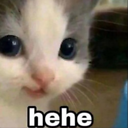
A mischievous kitten with a knowing smirk, perfect for when you're up to no good.
This iconic 'hehe' cat meme features a close-up of a kitten with a subtle, human-like smirk that perfectly captures a sense of playful malice or secret amusement. It is a staple in Discord servers for reacting to inside jokes, trolling, or signaling that you are plotting something silly. The simple 'hehe' text overlay makes it an instantly recognizable reaction for any lighthearted or chaotic conversation.
Quando usar
- Signaling that you are plotting something mischievous
- Reacting to a funny or chaotic inside joke
- Teasing a friend during a lighthearted argument
- Showing you are up to no good today
Also known as:
:hehehe: :hsrt_hehe:
Parte destas coleções
Related emoji searches
More inspired emojis
Incorporar e partilhar
Como adicionar este emoji
Add to Discord
- Clique em Adicionar ao meu servidor acima e escolha um servidor Discord que administra (a CommunityOne deve estar instalada).
- Ou descarregue o ficheiro: abra o Discord → Definições do servidor → Emoji → Carregar emoji.
- Dê-lhe um nome e guarde. Precisa da permissão Gerir servidor (ou Criar expressões).
Adicionar ao Slack
- Descarregue a imagem hehe.
- Abra o seletor de emojis do Slack e clique em Adicionar emoji.
- Carregue o ficheiro, dê-lhe um nome e guarde.
Adicionar ao Revolt/Stoat
- Descarregue a imagem hehe.
- Abra Definições do servidor → Emojis no Revolt ou Stoat.
- Carregue o ficheiro e dê um nome ao novo emoji.
Adicionar ao Guilded
- Descarregue a imagem hehe.
- Vá a Definições do servidor → Emotes no Guilded.
- Carregue o ficheiro e dê-lhe um nome.











