dlaugh
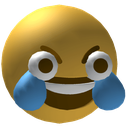
O que significa o emoji dlaugh?
A chaotic, wide-eyed take on the classic laughing emoji that screams pure hysterical madness.
This emoji is a distorted, high-energy variation of the traditional laughing-crying face, often used to convey extreme amusement or manic laughter. Its exaggerated, bulging eyes and intense expression make it a staple in Discord servers for reacting to absurd memes, chaotic moments, or situations that are just too funny to handle normally. It captures the specific internet culture vibe of 'dying of laughter' in a way that feels slightly unhinged and deeply relatable.
Quando usar
- Reacting to an absolutely absurd meme post
- Expressing uncontrollable laughter at a funny joke
- Showing disbelief at a chaotic chat moment
- Highlighting a truly hilarious and ridiculous situation
Also known as:
:3dLaughCryDankAFWtf: :3D_laugh:
Parte destas coleções
Related emoji searches
More inspired emojis
Incorporar e partilhar
Como adicionar este emoji
Add to Discord
- Clique em Adicionar ao meu servidor acima e escolha um servidor Discord que administra (a CommunityOne deve estar instalada).
- Ou descarregue o ficheiro: abra o Discord → Definições do servidor → Emoji → Carregar emoji.
- Dê-lhe um nome e guarde. Precisa da permissão Gerir servidor (ou Criar expressões).
Adicionar ao Slack
- Descarregue a imagem dlaugh.
- Abra o seletor de emojis do Slack e clique em Adicionar emoji.
- Carregue o ficheiro, dê-lhe um nome e guarde.
Adicionar ao Revolt/Stoat
- Descarregue a imagem dlaugh.
- Abra Definições do servidor → Emojis no Revolt ou Stoat.
- Carregue o ficheiro e dê um nome ao novo emoji.
Adicionar ao Guilded
- Descarregue a imagem dlaugh.
- Vá a Definições do servidor → Emotes no Guilded.
- Carregue o ficheiro e dê-lhe um nome.











