catStare
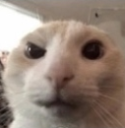
What does the catStare emoji mean?
A hilariously intense cat stare that captures pure, unadulterated judgment.
This emoji features a close-up, slightly distorted, and intense stare from a light-colored cat, commonly known in meme culture as the 'staring cat' or 'cat stare'. It is widely used in Discord and Slack to express deep suspicion, silent judgment, or an awkward reaction to a questionable statement in chat. Its low-resolution, slightly fish-eye aesthetic makes it a staple for ironic or humorous communication.
When to use it
- Expressing deep suspicion regarding a user's claim
- Reacting silently to an incredibly awkward message
- Judging someone for their questionable life choices
- Staring down a friend after a bad joke
Part of these collections
Related emoji searches
More inspired emojis
Embed & share
How to add this emoji
Add to Discord
- Click Add to my server above and pick a Discord server you manage (CommunityOne must be installed).
- Or download the file: open Discord → Server Settings → Emoji → Upload Emoji.
- Give it a name and save. You need Manage Server (or Create Expressions) permission.
Add to Slack
- Download the catStare image.
- Open the Slack emoji picker and click Add Emoji.
- Upload the file, name it, and save.
Add to Revolt/Stoat
- Download the catStare image.
- Open Server Settings → Emojis in Revolt or Stoat.
- Upload the file and name your new emoji.
Add to Guilded
- Download the catStare image.
- Go to Server Settings → Emotes in Guilded.
- Upload the file and give it a name.











