LevelUp
What does the LevelUp emoji mean?
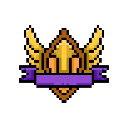
Level up your chat game with this classic golden achievement badge.
This pixel art badge is a staple in gaming communities, representing the classic 'level up' notification found in RPGs and MMOs. It is frequently used in Discord servers to celebrate user promotions, rank increases, or general milestones in a community. The design evokes a sense of accomplishment and prestige, perfect for highlighting big wins.
When to use it
- Celebrating a user reaching a new rank
- Marking the completion of a difficult challenge
- Announcing a promotion within the server staff
- Congratulating someone on a personal life milestone
Part of these collections
Related emoji searches
More inspired emojis
Embed & share
How to add this emoji
Add to Discord
- Click Add to my server above and pick a Discord server you manage (CommunityOne must be installed).
- Or download the file: open Discord → Server Settings → Emoji → Upload Emoji.
- Give it a name and save. You need Manage Server (or Create Expressions) permission.
Add to Slack
- Download the LevelUp image.
- Open the Slack emoji picker and click Add Emoji.
- Upload the file, name it, and save.
Add to Revolt/Stoat
- Download the LevelUp image.
- Open Server Settings → Emojis in Revolt or Stoat.
- Upload the file and name your new emoji.
Add to Guilded
- Download the LevelUp image.
- Go to Server Settings → Emotes in Guilded.
- Upload the file and give it a name.











