SkiiShow
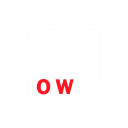
What does the SkiiShow emoji mean?
A clever play on words that turns a simple show into a cheeky ski-themed pun.
This emoji features a stylized text graphic that cleverly transforms the word 'SHOW' into 'SKI SHOW' by highlighting the 'OW' in red. It is perfect for winter sports enthusiasts or Discord servers centered around skiing and snowboarding culture, adding a humorous touch to conversations about hitting the slopes.
When to use it
- Commenting on a friend's epic ski video
- Announcing a group trip to the mountains
- Reacting to a funny wipeout on snow
- Sharing excitement for the winter sports season
Part of these collections
Related emoji searches
More inspired emojis
Embed & share
How to add this emoji
Add to Discord
- Click Add to my server above and pick a Discord server you manage (CommunityOne must be installed).
- Or download the file: open Discord → Server Settings → Emoji → Upload Emoji.
- Give it a name and save. You need Manage Server (or Create Expressions) permission.
Add to Slack
- Download the SkiiShow image.
- Open the Slack emoji picker and click Add Emoji.
- Upload the file, name it, and save.
Add to Revolt/Stoat
- Download the SkiiShow image.
- Open Server Settings → Emojis in Revolt or Stoat.
- Upload the file and name your new emoji.
Add to Guilded
- Download the SkiiShow image.
- Go to Server Settings → Emotes in Guilded.
- Upload the file and give it a name.











