SkiiShow
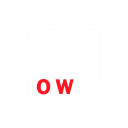
¿Qué significa el emoji SkiiShow?
A clever play on words that turns a simple show into a cheeky ski-themed pun.
This emoji features a stylized text graphic that cleverly transforms the word 'SHOW' into 'SKI SHOW' by highlighting the 'OW' in red. It is perfect for winter sports enthusiasts or Discord servers centered around skiing and snowboarding culture, adding a humorous touch to conversations about hitting the slopes.
Cuándo usarlo
- Commenting on a friend's epic ski video
- Announcing a group trip to the mountains
- Reacting to a funny wipeout on snow
- Sharing excitement for the winter sports season
Parte de estas colecciones
Related emoji searches
More inspired emojis
Insertar y compartir
Cómo añadir este emoji
Añadir a Discord
- Haz clic en Añadir a mi servidor arriba y elige un servidor de Discord que administres (CommunityOne debe estar instalado).
- O descarga el archivo: abre Discord → Ajustes del servidor → Emoji → Subir emoji.
- Dale un nombre y guarda. Necesitas el permiso Administrar servidor (o Crear expresiones).
Añadir a Slack
- Descarga la imagen de SkiiShow.
- Abre el selector de emojis de Slack y haz clic en Añadir emoji.
- Sube el archivo, ponle un nombre y guarda.
Añadir a Revolt/Stoat
- Descarga la imagen de SkiiShow.
- Abre Ajustes del servidor → Emojis en Revolt o Stoat.
- Sube el archivo y pon nombre a tu nuevo emoji.
Añadir a Guilded
- Descarga la imagen de SkiiShow.
- Ve a Ajustes del servidor → Emotes en Guilded.
- Sube el archivo y dale un nombre.











