SkiiShow
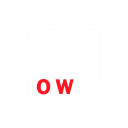
Que signifie l’emoji SkiiShow ?
A clever play on words that turns a simple show into a cheeky ski-themed pun.
This emoji features a stylized text graphic that cleverly transforms the word 'SHOW' into 'SKI SHOW' by highlighting the 'OW' in red. It is perfect for winter sports enthusiasts or Discord servers centered around skiing and snowboarding culture, adding a humorous touch to conversations about hitting the slopes.
Quand l’utiliser
- Commenting on a friend's epic ski video
- Announcing a group trip to the mountains
- Reacting to a funny wipeout on snow
- Sharing excitement for the winter sports season
Dans ces collections
Related emoji searches
More inspired emojis
Intégrer et partager
Comment ajouter cet emoji
Add to Discord
- Cliquez sur Ajouter à mon serveur ci-dessus et choisissez un serveur Discord que vous gérez (CommunityOne doit être installé).
- Ou téléchargez le fichier : ouvrez Discord → Paramètres du serveur → Emoji → Importer un emoji.
- Donnez-lui un nom et enregistrez. Vous avez besoin de la permission Gérer le serveur (ou Créer des expressions).
Ajouter à Slack
- Téléchargez l’image SkiiShow.
- Ouvrez le sélecteur d’emojis Slack et cliquez sur Ajouter un emoji.
- Importez le fichier, nommez-le et enregistrez.
Ajouter à Revolt/Stoat
- Téléchargez l’image SkiiShow.
- Ouvrez Paramètres du serveur → Emojis dans Revolt ou Stoat.
- Importez le fichier et nommez votre nouvel emoji.
Ajouter à Guilded
- Téléchargez l’image SkiiShow.
- Allez dans Paramètres du serveur → Emotes dans Guilded.
- Importez le fichier et donnez-lui un nom.











